
QuillBot review
AI writing suite used by 35M+ writers: paraphrasing, grammar checking, summarizing, and citations.
The best paraphrasing engine on the market wrapped in a competent writing suite, though its other tools are solid rather than category-leading.
Pros
- Paraphraser with multiple modes (formal, simple, creative, shorten, expand) leads the category
- Grammar checker, summarizer, citation generator, and plagiarism tools in one suite
- Genuinely useful free plan with core paraphrasing and grammar checking
- Extensions for Chrome, Edge, Safari, and Microsoft Word bring it into existing workflows
- Synonym slider gives unusual control over how aggressively text is rewritten
Cons
- Free paraphrasing caps input length and locks most modes
- Aggressive rewriting modes can drift from the original meaning, so outputs need review
- Long-form generation is weak compared to dedicated AI drafting tools
- Its AI detector and humanizer invite misuse in academic settings and results should not be treated as proof
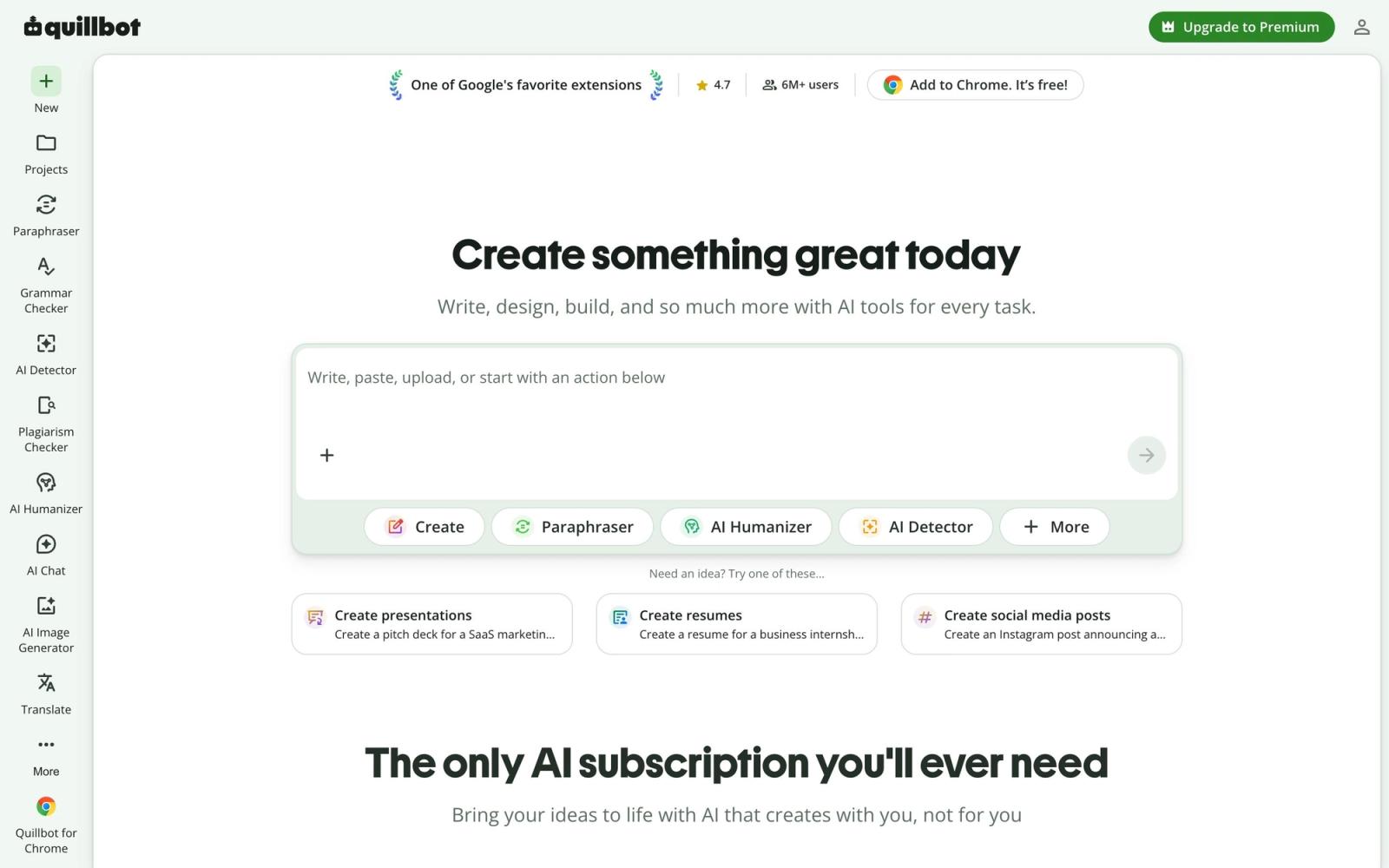
QuillBot built its reputation on one tool, a paraphraser that rewrites sentences while preserving meaning, and grew it into an AI writing suite that more than 35 million writers reportedly use. Today the platform covers paraphrasing, grammar checking, summarizing, citation generation, plagiarism checking, translation, and an AI detector, available on the web and through extensions for Chrome, Edge, Safari, and Microsoft Word. For students, content writers, and non-native English speakers, it has become one of the most-installed writing aids anywhere.
What QuillBot actually does
The paraphraser remains the reason to care. Paste text and choose a mode: standard, fluency, formal, simple, creative, shorten, or expand. A synonym slider controls how aggressively QuillBot substitutes vocabulary, and clicking any word offers alternatives in context. Compared with asking a general chatbot to rewrite something, the dedicated interface is faster for iterative work, since you can re-roll a single sentence, compare versions, and tune tone without re-prompting. In my testing, fluency and formal modes produce reliably usable rewrites, while creative mode swings harder and occasionally bends meaning, which is why everything still deserves a read-through.
Around that core sit the supporting tools. The grammar checker catches spelling, punctuation, and common usage errors inline. The summarizer condenses articles and papers into key sentences or paragraphs at an adjustable length. The citation generator formats references in APA, MLA, and Chicago styles, a small feature that students lean on heavily. There are also a plagiarism checker, a translator, an AI humanizer, and an AI detector, the last two sitting in ethically gray territory for academic use and best treated as estimates rather than verdicts.

Key features
- Paraphraser with seven-plus modes and a synonym intensity slider
- Grammar and spelling checker with inline corrections
- Summarizer with adjustable output length for articles and papers
- Citation generator covering APA, MLA, and Chicago formats
- Plagiarism checker, translator, AI detector, and humanizer
- Extensions for Chrome, Edge, Safari, Microsoft Word, and mobile apps for iOS and Android
The free plan is real and useful: core paraphrasing with limited input length and modes, grammar checking, and a capped summarizer. Premium unlocks all modes, longer inputs, faster processing, and the plagiarism checker.
Who it's for
QuillBot fits anyone whose work involves reshaping existing text more than generating new text: students paraphrasing sources properly and formatting citations, ESL writers polishing fluency, content marketers refreshing copy, and editors compressing drafts. The browser and Word extensions matter because rewriting happens where you already write. It is the wrong primary tool for long-form drafting from scratch, where chat-based assistants and dedicated AI writers do better, and academic users should know their institution's rules before touching paraphrasing or humanizing tools on graded work.
How it compares
The natural comparison is Grammarly. Grammarly remains stronger as an always-on grammar and tone coach across every app you type in, while QuillBot wins decisively on paraphrasing depth and modes, and its suite bundles a summarizer and citation tools Grammarly lacks. Many writers run both, with Grammarly catching errors and QuillBot doing the heavy rewriting. Against Wordtune, which offers high-quality sentence rewrites with a more conversational feel, QuillBot offers more modes, more tools, and a more generous free tier, while Wordtune's individual suggestions sometimes read more naturally.
Verdict
QuillBot is the best dedicated paraphraser available, and that single strength justifies its place in a writer's toolkit. The surrounding suite is competent, with a grammar checker, summarizer, and citation generator that are each good enough to consolidate tools, even if none individually beats the best specialist. The honest limits: free-tier caps, rewrites that occasionally drift in meaning, and weak long-form generation. If your daily work is rewriting, tightening, and citing text, QuillBot earns its spot. If you need a from-scratch drafting engine, pair it with something else.
Ready to try QuillBot?
There's a free tier, so you can test it before committing.
More creators tools like QuillBot
Riverside
4.5Browser recording studio that captures every remote guest locally in 4K, then edits and publishes the episode.
Read Riverside review →Ticket Tailor
4.3Box office software that charges a flat fee per ticket instead of a percentage of the door.
Read Ticket Tailor review →Beautiful.ai
4.2AI presentation software with smart slides that auto-align layout, spacing, and branding as you type.
Read Beautiful.ai review →Castmagic
4.2Turns audio and video recordings into show notes, posts, articles, and clips-ready copy automatically.
Read Castmagic review →Circle
4.2Community platform with courses, events, paid memberships, email and branded apps on your own domain.
Read Circle review →LearnWorlds
4.2Course platform and LMS for selling training: site builder, interactive video, certificates and checkout.
Read LearnWorlds review →