
LearnWorlds review
Course platform and LMS for selling training: site builder, interactive video, certificates and checkout.
One of the more complete course platforms for creators who also sell to companies, though the page builder is slow to work in and the entry plan charges a fee on every paid enrollment.
Pros
- Interactive video with auto-generated transcripts, in-video questions and a clickable table of contents
- Full site builder with 50-plus templates, so the school, sales pages and blog live on one domain
- Native checkout with subscriptions, bundles, coupons and an affiliate programme built in
- Certificates, assessments and SCORM support make it usable for compliance-style corporate training
- Client groups on the higher tier let one account run separate branded academies for different companies
Cons
- The entry plan charges a per-enrollment fee on paid sales and locks out free courses, landing pages, integrations and SCORM
- The page builder takes a lot of clicks for small edits and slows noticeably when updating several course activities in a row
- Multilingual schools are awkward: system emails cannot be translated, so teams end up stacking languages into one message
LearnWorlds pricing
List prices in USD per month, taken from the vendor at review time.
| Plan | Per month | What it covers |
|---|---|---|
| Starter | $24 | billed annually, 1 admin; $29 monthly, plus $5 per paid enrollment |
| Pro Trainer | $79 | billed annually, 5 admins, no enrollment fees; $99 monthly |
| Learning Center | $249 | billed annually, 25 admins, white-label and automations; $299 monthly |
What LearnWorlds actually does
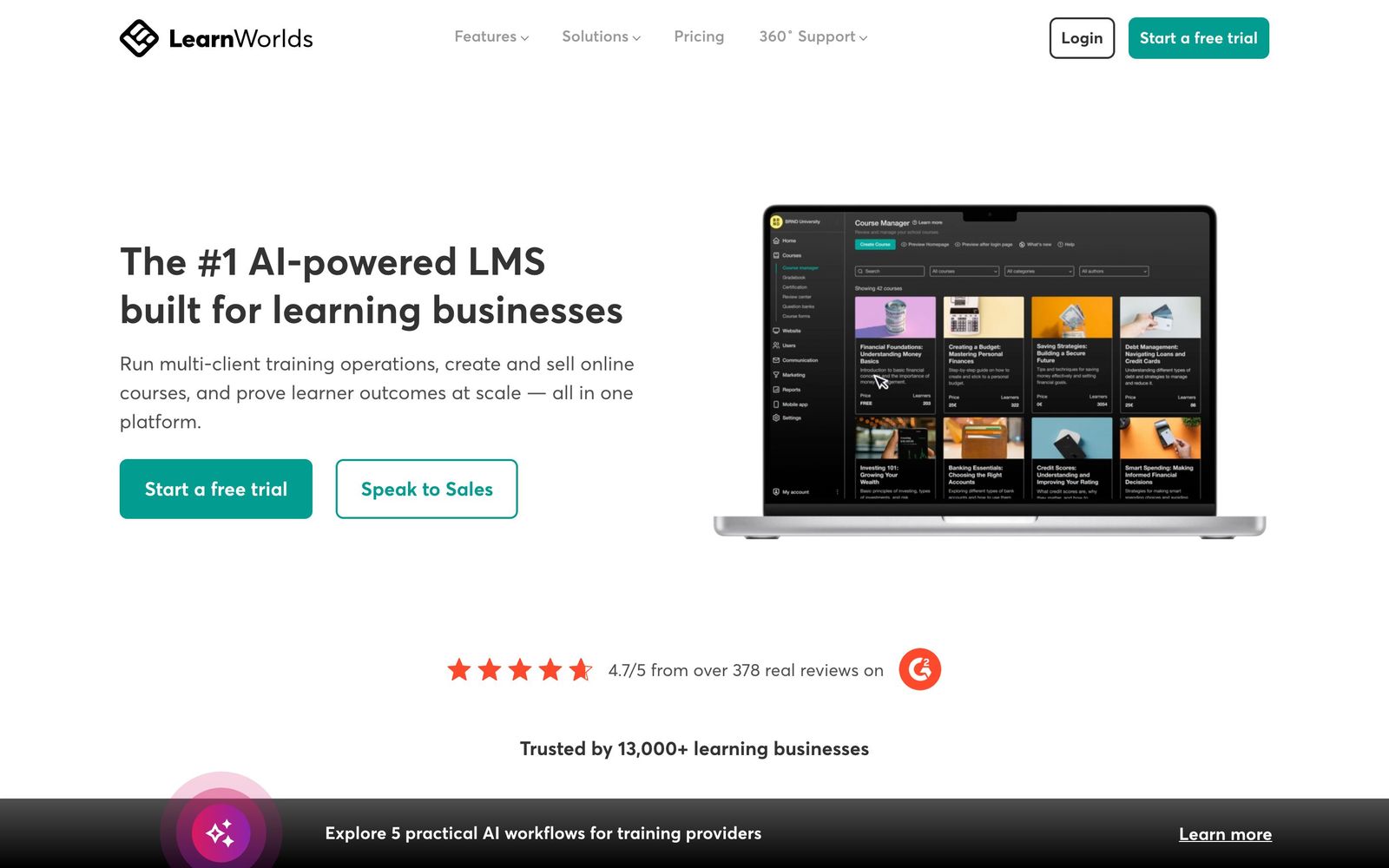
LearnWorlds is a hosted platform for building, selling and delivering online courses. It covers the whole chain: a course builder for video, text and assessments; a site builder for the marketing pages around them; a checkout with subscriptions, bundles and coupons; and reporting on who finished what. Nothing is self-hosted, and the school runs on a custom domain with the vendor handling video hosting and payments.
What separates it from the simpler course tools is the delivery layer. Video is interactive rather than passive: transcripts are extracted automatically, questions can be embedded mid-video, and a table of contents lets learners jump between sections. Assessments issue certificates. Cohorts, communities and live sessions run inside the same school. On the higher tiers a single account can host several branded academies for different corporate clients, which is why the platform shows up in training businesses as often as in creator setups. An AI assistant drafts course outlines, questions and copy against a monthly credit allowance that varies by plan.
Key features
The parts that carry most of the work:
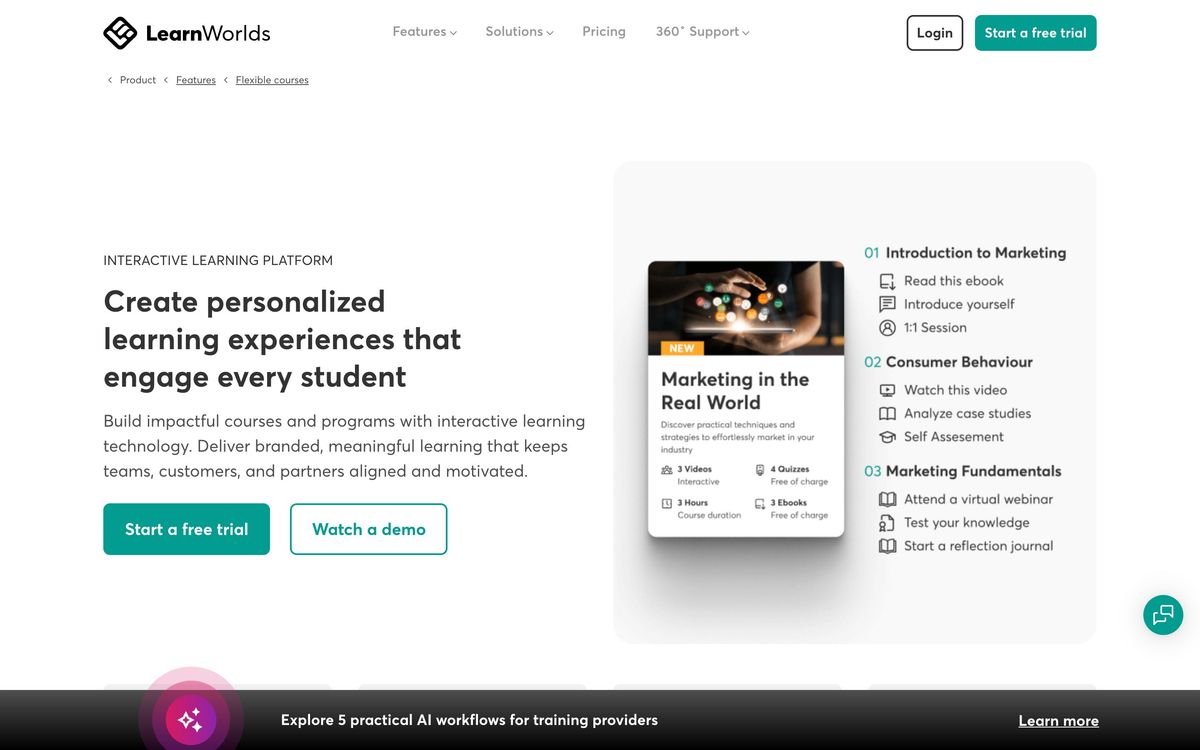
- Course builder handling video, ebooks, live sessions, quizzes, assignments and certificates in one structure
- Interactive video player with auto transcripts, in-video questions and section navigation
- Site and sales page builder with 50-plus templates, a blog and native checkout
- Mobile app builder for a branded learner app on iOS and Android
- Community spaces and cohort-based courses, with live sessions through Zoom or Microsoft Teams
- Client groups, white-label branding and an automation engine on the top self-serve tier
Who it's for
The platform fits creators and training companies whose product is the course itself rather than a lead magnet: coaches with a catalogue, associations running certification, agencies delivering training to several corporate clients. Anyone who needs assessments, certificates and completion reporting will find far more here than in a membership plugin, and the multi-academy setup is a genuine reason to choose it over creator-first tools.
It suits solo creators less well. The entry plan is priced attractively but takes a cut of every paid enrollment and withholds free courses, landing pages and integrations, so the realistic starting point is the second tier. Teams building a school in several languages should test carefully first, since system emails cannot be translated, and anyone who wants a lightweight place to drop three videos will find the builder heavier than the job requires. Admin seats are also limited by plan, so a training company with several instructors reaches the next tier sooner than the learner counts alone would suggest.
How it compares
Teachable and Thinkific are quicker to launch and cheaper at the bottom, but neither matches the interactive video or the client-group structure, and Teachable takes its own cut on lower plans. Kajabi bundles email marketing, funnels and a CRM around the course, which suits creators running their whole business in one place, though its learning features are thinner and its price higher. TalentLMS is the stronger choice for internal employee training with heavy compliance reporting, and the weaker one for selling to the public. LearnWorlds sits between the creator tools and the corporate LMS, which is its advantage and the reason it feels heavier than either.
Verdict
LearnWorlds earns its rating on depth: interactive video, real assessments, a competent commerce layer and the ability to run several branded academies from one account. It is a serious platform for people whose income depends on course delivery. The friction is in daily use. The builder demands a lot of clicking, larger edits can drag, and the entry plan's per-enrollment fee makes the cheapest tier a false economy for anyone selling regularly. Budget for the second tier and the trade looks fair.
Ready to try LearnWorlds?
More creators tools like LearnWorlds
Descript
4.5AI audio and video editor where you edit recordings by editing the transcript text.
Read Descript review →Gamma
4.5AI design partner that generates presentations, documents, websites, and social content from a prompt.
Read Gamma review →Riverside
4.5Browser recording studio that captures every remote guest locally in 4K, then edits and publishes the episode.
Read Riverside review →Consensus
4.4AI search engine over 200M+ academic papers, with a Consensus Meter showing where the science agrees.
Read Consensus review →QuillBot
4.4AI writing suite used by 35M+ writers: paraphrasing, grammar checking, summarizing, and citations.
Read QuillBot review →Murf AI
4.3Generative speech platform with 200+ voices in 35+ languages: studio voiceovers, dubbing, and a real-time API.
Read Murf AI review →