
Murf AI review
Generative speech platform with 200+ voices in 35+ languages: studio voiceovers, dubbing, and a real-time API.
The most workflow-friendly AI voiceover studio for e-learning and marketing videos, though its voices trail ElevenLabs on raw realism.
Pros
- Studio editor syncs voiceover to video, slides, and music on a timeline
- 200+ voices across 35+ languages with pitch, speed, and emphasis controls
- Direct integrations with Canva, Google Slides, PowerPoint, and Adobe Captivate
- Dubbing product localizes existing video and audio without re-recording
- Falcon API offers low-latency speech for real-time voice applications
Cons
- Top-end voice realism falls short of ElevenLabs on emotional, long-form narration
- Free plan generation time is limited and excludes commercial use rights
- Voice cloning is gated to higher tiers rather than broadly available
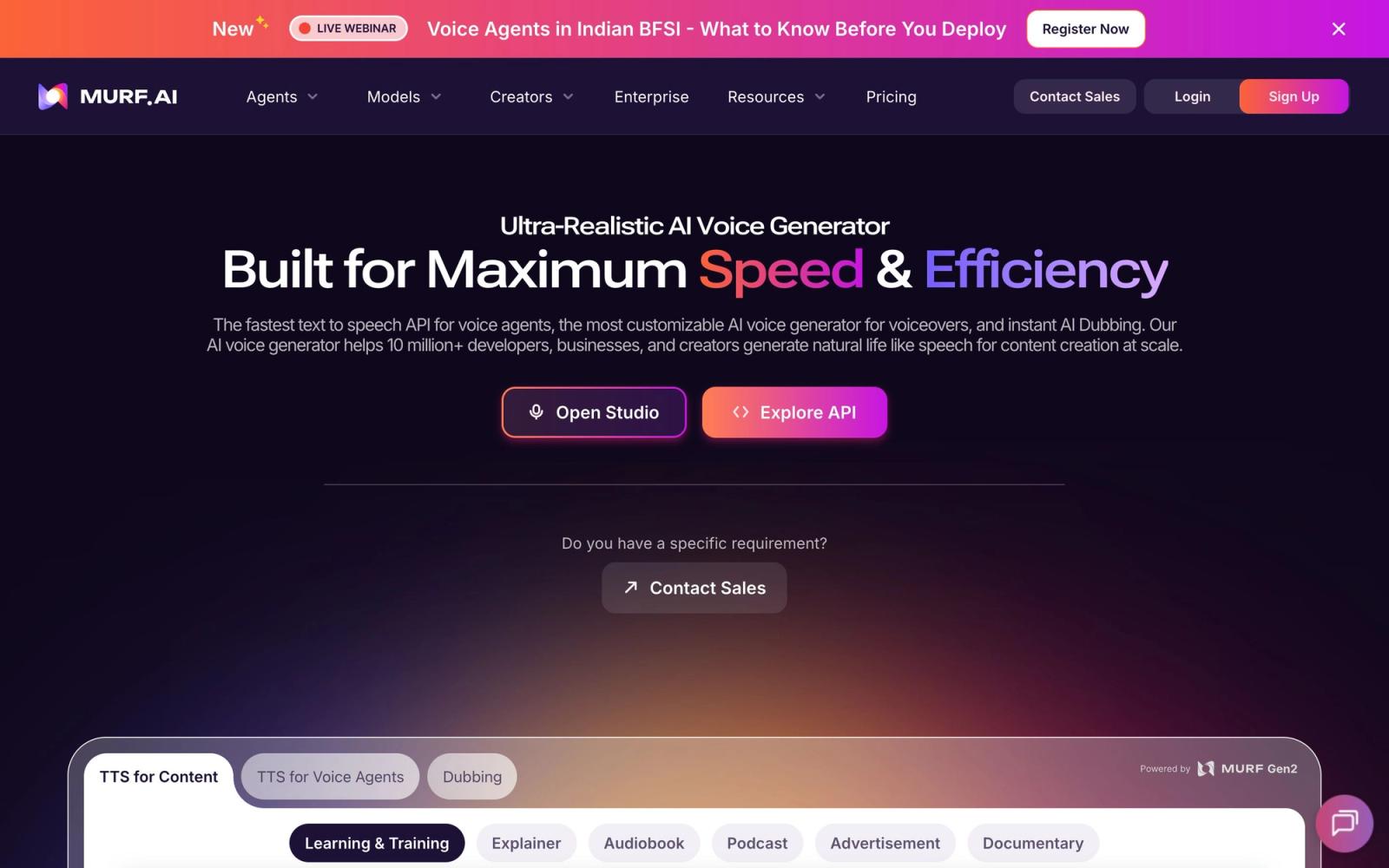
Murf AI approaches AI voice generation from a different angle than most text-to-speech tools: instead of just turning scripts into audio files, it wraps voice generation inside a studio editor built for producing finished voiceover projects. With 200+ voices across 35+ languages, plus dedicated products for dubbing and a real-time speech API, Murf targets creators who need voiceovers synced to actual content, including e-learning modules, explainer videos, product demos, and presentations.
What Murf AI actually does
The core product is Murf Studio, a browser-based editor where you write or paste a script, assign AI voices to blocks of text, and line the audio up against video, images, or slides on a timeline. This is the practical difference from generate-and-download tools: you can adjust pacing scene by scene, add background music, and export a finished video rather than stitching audio into a separate editor. Voice controls cover pitch, speed, emphasis, and pauses, and the company claims 99.38% pronunciation accuracy, with custom pronunciations available when a brand name trips the model.
Two other products round out the platform. Murf Dub translates and re-voices existing video and audio for localization, which matters if you have a back catalog you want in new languages. The Falcon API delivers production-grade text-to-speech with roughly 130 milliseconds end-to-end latency, aimed at developers building voice agents and real-time applications.
Key features
- Studio editor that syncs voiceover with video, slides, and music on one timeline
- 200+ voices in 35+ languages with multiple accents and speaking styles
- Granular controls for pitch, speed, emphasis, pauses, and pronunciation
- Murf Dub for translating and re-voicing existing content
- Falcon API with low latency for real-time voice applications
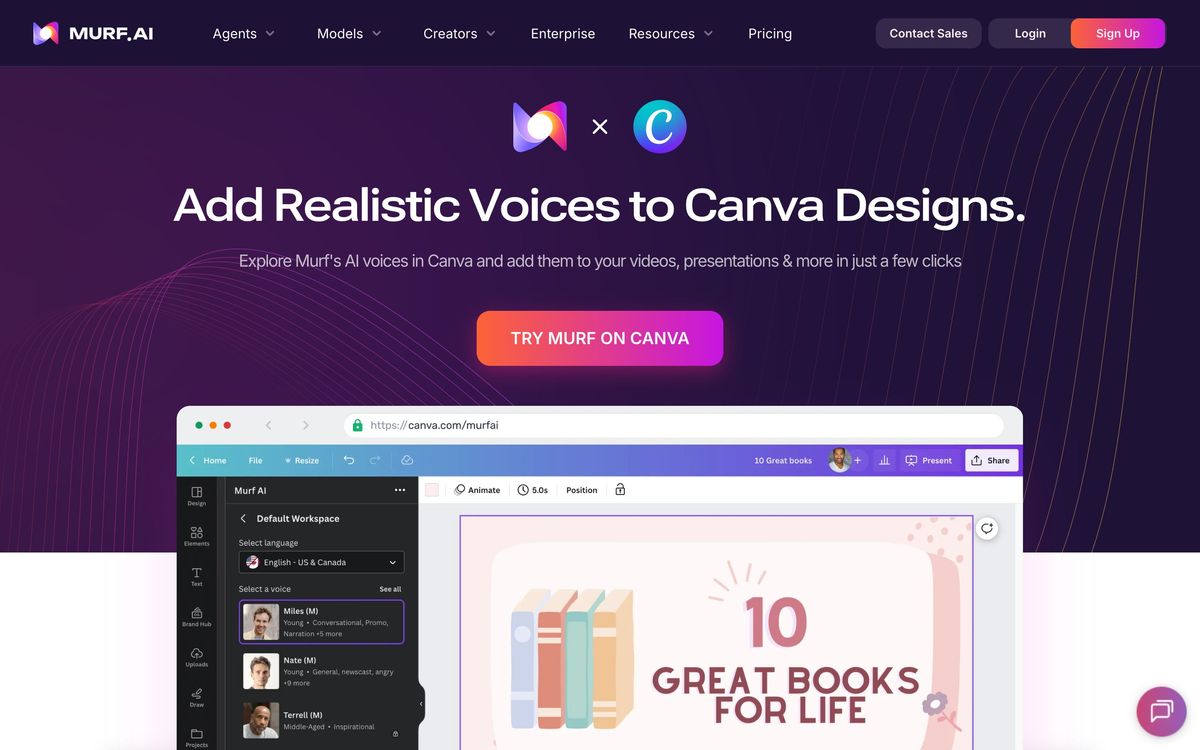
- Add-ins for Canva, Google Slides, PowerPoint, and Adobe Captivate
The integrations are a genuine differentiator. Generating narration directly inside Google Slides or Adobe Captivate removes the export-import loop that eats time in e-learning production, and the Canva integration suits social content teams working at volume.
Who it's for
Murf fits course creators, instructional designers, marketing teams, and agencies producing narrated content on a schedule. If your workflow is script, slides, voiceover, export, Murf compresses it into one tool. It also suits teams where multiple non-audio people need to produce consistent voiceovers, since the studio is approachable and the voice settings are presets rather than engineering knobs. The free plan offers limited generation time to evaluate voices, but commercial publishing rights require a paid plan, so treat the free tier as a trial workspace rather than a production option.
It is a weaker fit for audiobook narrators and faceless-channel YouTubers chasing maximum vocal realism, and for developers who only need an API, where pure-play TTS providers compete hard.
How it compares
The obvious comparison is ElevenLabs, which beats Murf on raw voice naturalness and voice cloning depth, and offers a far larger voice library. Murf answers with workflow: timeline editing, slide syncing, and office-suite integrations that ElevenLabs does not attempt. If your output is narrated video or e-learning, Murf usually gets you to a finished file faster. Against Play.ht, Murf's studio editor and integrations again carry the decision for content teams, while Play.ht appeals more to API-first users. Creators who mostly edit recorded speech rather than generate it should look at Descript instead.
Verdict
Murf AI is the AI voiceover platform I would hand to a content team. The voices are good rather than category-best, but the studio workflow, language coverage, and integrations with Canva, Google Slides, PowerPoint, and Captivate mean projects actually ship faster. The tradeoffs are honest ones: realism a step behind ElevenLabs, commercial rights locked to paid plans, and voice cloning reserved for higher tiers. Pick Murf when voiceover is one stage in a production pipeline; pick ElevenLabs when the voice itself is the product.
Ready to try Murf AI?
There's a free tier, so you can test it before committing.
More creators tools like Murf AI
Riverside
4.5Browser recording studio that captures every remote guest locally in 4K, then edits and publishes the episode.
Read Riverside review →Ticket Tailor
4.3Box office software that charges a flat fee per ticket instead of a percentage of the door.
Read Ticket Tailor review →Beautiful.ai
4.2AI presentation software with smart slides that auto-align layout, spacing, and branding as you type.
Read Beautiful.ai review →Castmagic
4.2Turns audio and video recordings into show notes, posts, articles, and clips-ready copy automatically.
Read Castmagic review →Circle
4.2Community platform with courses, events, paid memberships, email and branded apps on your own domain.
Read Circle review →LearnWorlds
4.2Course platform and LMS for selling training: site builder, interactive video, certificates and checkout.
Read LearnWorlds review →