
Toggl Track review
One-click time tracking with billable rates and profitability reports for teams that bill by the hour.
The least resented way to get a team to log hours, though the project management around it stays deliberately shallow and the free plan stops at five users.
Pros
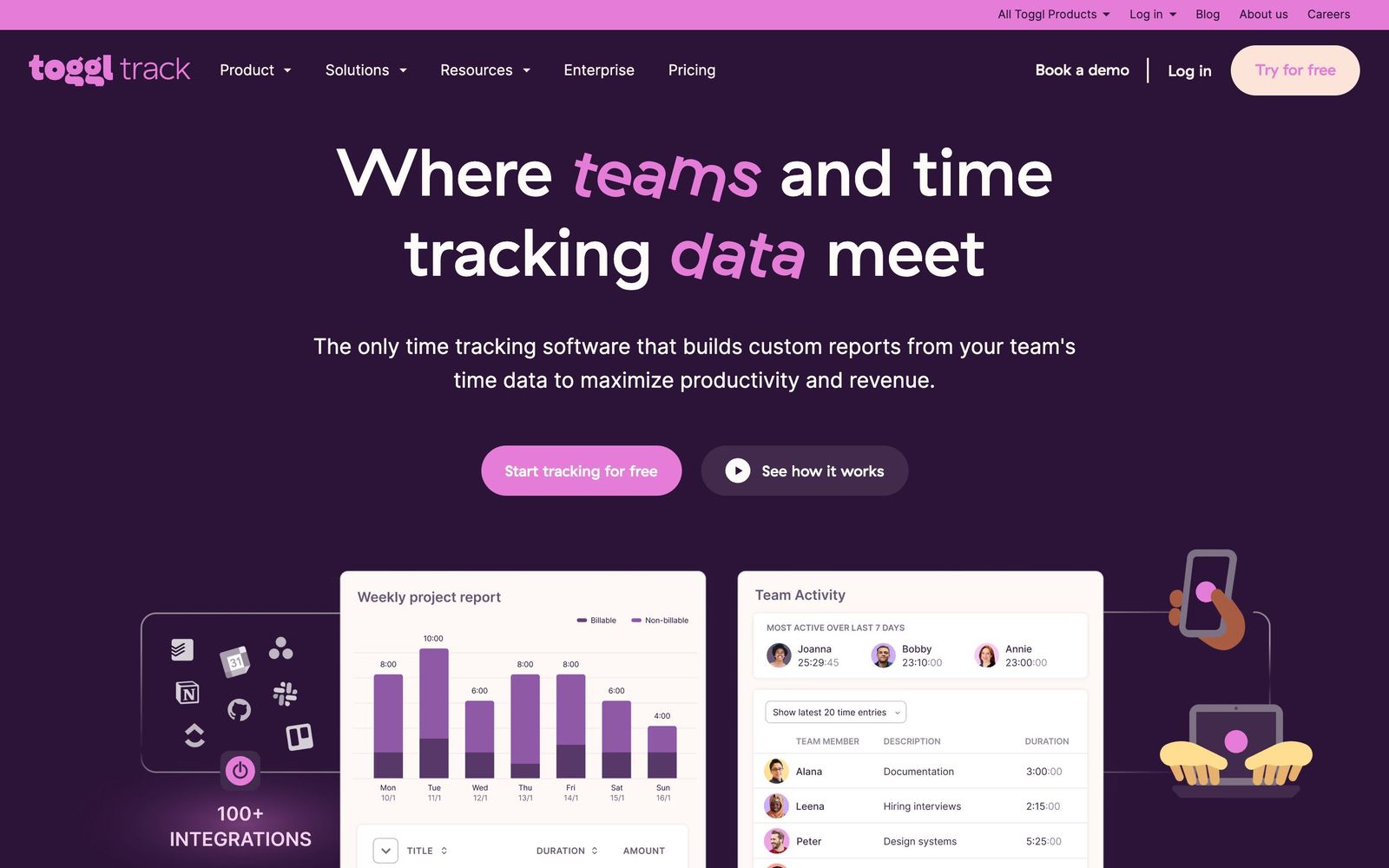
- Timers start from the web app, desktop, mobile or a browser button inside another tool, so logging costs a second
- Browser extension puts a start button inside Jira, Asana, Notion, GitHub, Trello and about a hundred other tools
- Billable rates per project, client and team member feed straight into revenue and profitability reports
- Free plan runs indefinitely for up to five people with unlimited projects and time entries
- Optional background tracking records app and website activity locally to reconstruct forgotten hours
Cons
- The free plan is capped at five users, and the sixth person moves the whole team onto paid seats
- The top self-serve tier renews above its first-year rate, so the second-year budget is larger than the one approved
- Project management is intentionally thin: no dependencies, no Gantt view, so it has to sit beside a real planning tool
Toggl Track pricing
List prices in USD per month, taken from the vendor at review time. Custom means quote-only.
| Plan | Per month | What it covers |
|---|---|---|
| Free | Free | up to five users, unlimited time tracking and projects |
| Starter | $9 | per user, billed annually; billable rates, project estimates, revenue reports |
| Premium | $18 | per user, billed annually; discounted to $14 for the first year |
| Enterprise | Custom | custom pricing: multiple workspaces, dedicated onboarding, volume discounts |
What Toggl Track actually does
Toggl Track records how long work takes and turns that record into money. A timer starts from the web app, a desktop app, a phone, or a button the browser extension injects into whatever tool the work is happening in, and each entry carries a project, a client, a task and tags. Those entries roll into reports that answer the questions a services business lives on: how many hours went into this account, what the effective hourly rate ended up being, whether the fixed-fee project that looked comfortable in March is still comfortable in June.
The rest of the product exists to make that record trustworthy. Rates attach at the workspace, project, client or person level so billable and cost figures can differ. Timesheets move through an approval step and lock once approved. A calendar view pulls in Google Calendar and Outlook events so meetings can be converted into entries rather than reconstructed from memory. Optional background tracking watches which apps and sites were open, keeps that data on the machine, and offers it back when someone has forgotten a Tuesday afternoon. Nothing here is elaborate, and that is the design: a tool people resent less gets used more, and time data is worthless when half the week is missing.
Key features
The feature set is narrow by choice and deep inside that narrow strip.
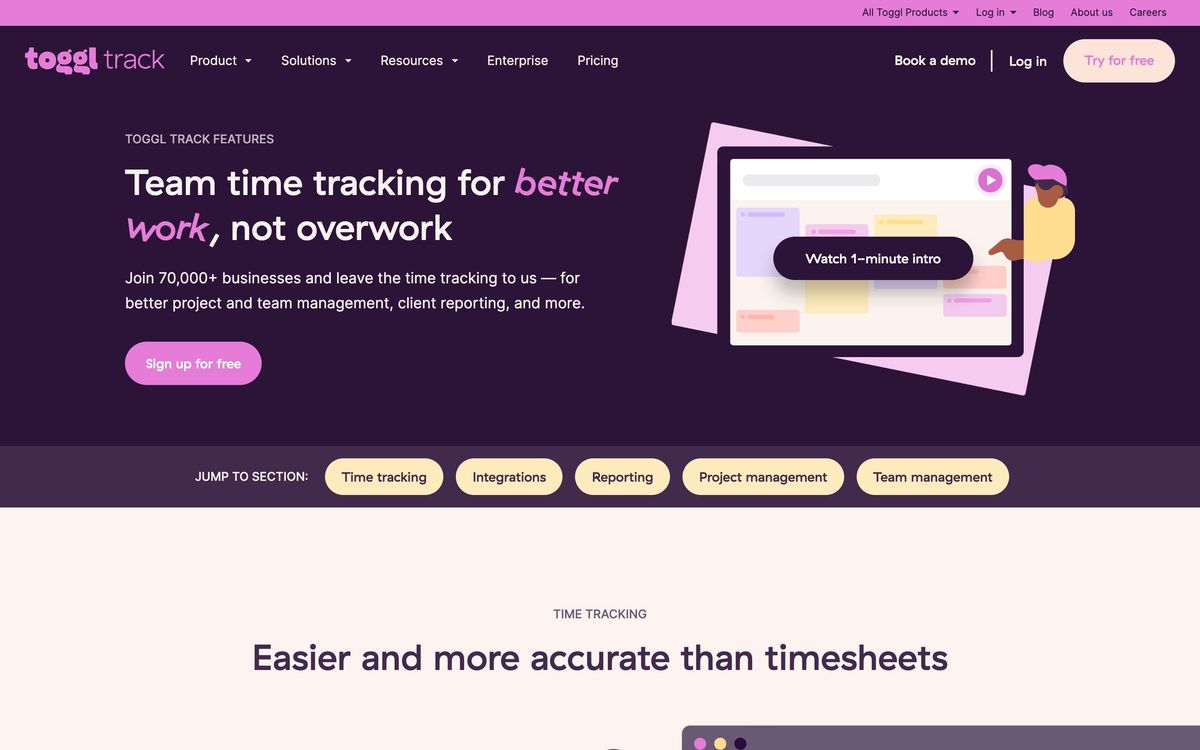
- Timers on web, desktop, mobile and browser extension, with idle detection and tracking reminders
- Billable rates and estimates per project, client and person, feeding revenue, cost and margin reports
- Timesheet approvals with locking, so a submitted week cannot be edited without a trail
- Report builder that filters by client, project, task, tag or person and schedules recurring email exports
- Calendar sync with Google Calendar and Outlook, turning meetings into time entries in a click
- Team capacity and workload views that show who is overcommitted before the week begins
Who it's for
The natural buyer is a services team that bills hours or wants to know what delivery costs: an agency, a consultancy, a law or design practice, a freelancer with several retainers. For that shape, the reporting layer is the product, and the timer is only the collection mechanism. Finance teams that need hours to reach invoices will find the QuickBooks Online link and the export formats enough for most workflows.
It is the wrong choice for two groups. Companies that want time tracking as one module of a project management suite should stay inside Asana, ClickUp or Jira, because Toggl Track deliberately refuses to plan work. And organisations that want surveillance, with screenshots and productivity scores, will find the tool designed against them: background tracking is local, opt-in, and never shown to a manager as evidence.
How it compares
Harvest is the closest peer and the better pick when invoicing matters, since it bills clients directly rather than exporting to an accounting tool. Clockify undercuts everyone on price and gives away features Toggl charges for, but the interface is denser and the mobile app less reliable. Hubstaff wins where the buyer genuinely wants monitoring, with screenshots, activity levels and GPS, which is exactly the territory Toggl declines to enter. Against all three, Toggl's advantage is adoption: teams keep using it after the first month, which is the only metric that makes any time tracker work.
Verdict
Toggl Track is the most convincing answer to the hardest problem in time tracking, which is not reporting but compliance from people who did not ask for the tool. The reports underneath are more capable than the light interface suggests, and profitability by client is available without a data project. Two caveats matter at budget time: the free plan ends abruptly at five users, and the top self-serve tier renews at a higher price than the first year's discount implies. Teams needing planning, invoicing or monitoring should pair it with something else rather than expect it to stretch.
Ready to try Toggl Track?
There's a free tier, so you can test it before committing.
More founders tools like Toggl Track
Bitdefender
4.6Enterprise-grade GravityZone security for SMBs: ransomware, phishing, and fileless attack protection.
Read Bitdefender review →1Password
4.5Team password manager and credential vault that has grown into a wider access platform for small IT teams.
Read 1Password review →ClickUp
4.5All-in-one work platform: tasks, docs, goals, chat, whiteboards, and AI agents in a single workspace.
Read ClickUp review →Fireflies.ai
4.5AI meeting teammate that records, transcribes, and summarizes calls, with action items and searchable notes.
Read Fireflies.ai review →Miro
4.5Infinite shared canvas for workshops, diagrams and planning, now wrapped around docs, tables and AI.
Read Miro review →Reclaim.ai
4.5AI calendar assistant that auto-schedules focus time, tasks, and habits on Google and Outlook calendars.
Read Reclaim.ai review →