
Office Timeline review
PowerPoint add-in that turns project data into Gantt charts and roadmap slides for executive updates.
The fastest route from a project plan to a slide an executive will actually read, though the desktop add-in is Windows-only and the tool does no project management itself.

Pros
- Timelines are native PowerPoint shapes, so a colleague without the add-in can still edit text and colours
- Excel copy-paste and project file import remove the manual re-drawing that eats an afternoon before a steering committee
- Swimlanes, dependencies and critical path rendering are available without leaving the slide
- Planned versus actual comparison on the top tier makes slippage visible rather than quietly re-baselined
- A capable free edition covers small timelines indefinitely
Cons
- The desktop add-in runs only on Windows PowerPoint; Mac users are limited to the browser version, which is less complete
- There is no real-time co-editing, so two people cannot build the same timeline at once
- Data sync with Microsoft Project, Smartsheet, Jira and Wrike is reserved for the most expensive tier
Office Timeline pricing
List prices in USD per month, taken from the vendor at review time.
| Plan | Per month | What it covers |
|---|---|---|
| Free | Free | basic timelines, limited to 10 items |
| Lite | $9 | per user, billed annually at $108; adds templates and styling control |
| Plus | $17 | per user, billed annually at $204; adds swimlanes, dependencies and critical path |
| Expert | $21 | per user, billed annually at $252; adds MS Project, Smartsheet, Jira and Wrike sync |
What Office Timeline actually does
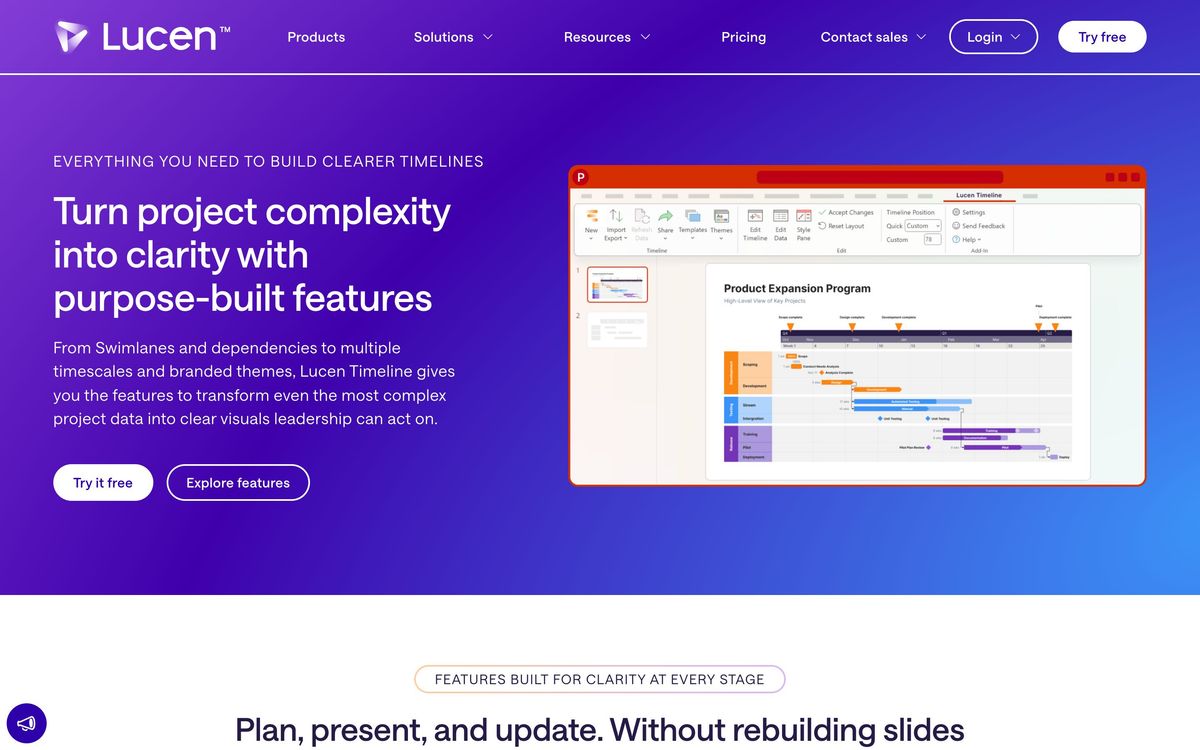
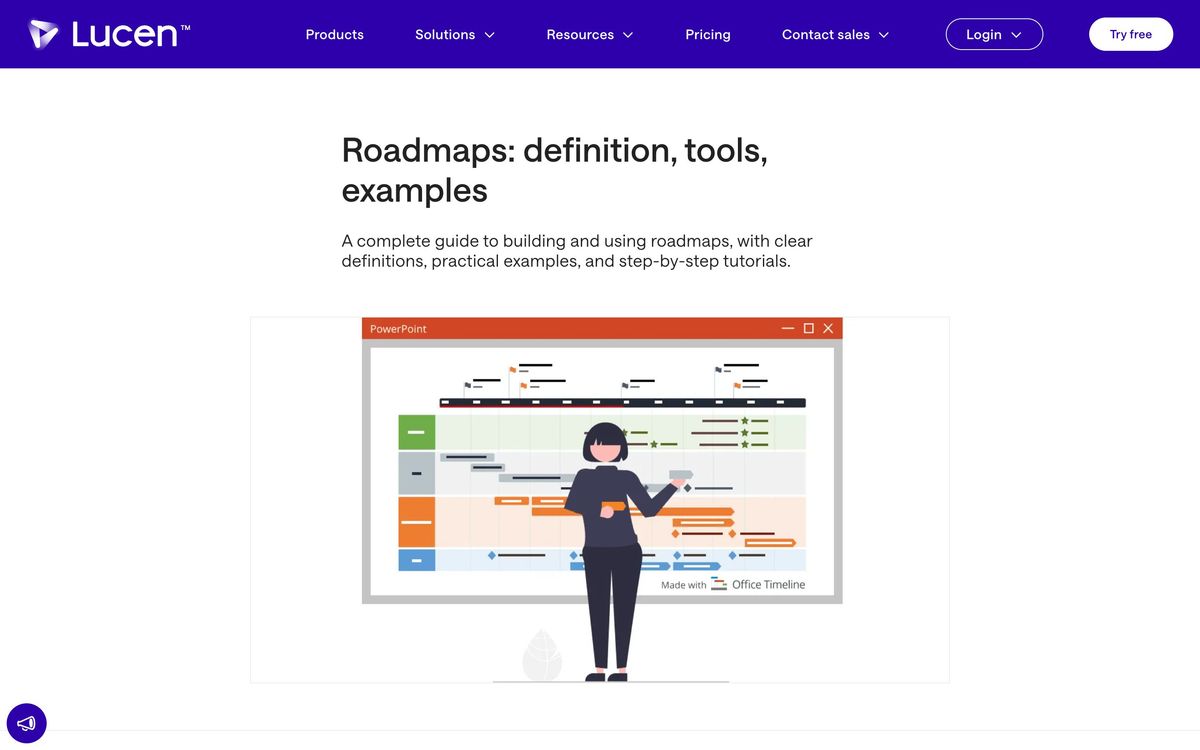
Office Timeline is an add-in that installs a tab into PowerPoint and builds project visuals there: Gantt charts, roadmaps, swimlane timelines and milestone slides. The distinction that matters is the output. Rather than embedding a picture or an object from another application, it draws native PowerPoint shapes, so the finished slide behaves like any other slide. A colleague who has never installed the add-in can still move a box, change a colour or fix a typo, which is the reason the product has survived in consultancies and programme offices where decks pass through many hands.
Data comes in three ways: typed by hand, pasted from Excel, or imported from a scheduling tool. The top edition syncs with Microsoft Project, Smartsheet, Jira and Wrike, so a plan maintained by the delivery team becomes a slide for the steering committee without a redraw, and can be refreshed when the plan moves. Higher editions add swimlanes and sub-swimlanes, task dependencies, critical path display, several timeline scales and a planned-versus-actual view that shows where a project has slipped against its baseline. A browser-based version covers Mac users and light collaboration, and reusable themes let a firm keep its house style across everyone's decks. The vendor now trades as Lucen Software and lists the product alongside a time-tracking and an Excel planning tool, but Office Timeline remains the anchor.
Key features
The feature set is narrow by design: it makes one kind of artefact, well.
- Gantt charts, roadmaps and swimlane timelines drawn as editable PowerPoint shapes
- Import and refresh from Excel, Microsoft Project, Smartsheet, Jira and Wrike
- Dependencies and critical path rendering for schedule-driven programmes
- Planned versus actual comparison against a saved baseline
- Reusable custom themes for consistent firm-wide formatting
- A browser editor for Mac users and for sharing timelines with colleagues
Who it's for
The buyer is anyone who has to explain a plan to people who will not open a project tool: management consultants, PMO analysts, programme managers, agency leads reporting to a client. For them the recurring cost is not the licence, it is the hour or two spent each month rebuilding a schedule as rectangles. The add-in removes that hour, and the output looks deliberate rather than improvised.
It should not be bought as project management software, and the vendor does not pretend otherwise. There are no task assignments, no resource levelling, no workload views and no Kanban board; the plan has to live somewhere else. Mac-first teams should test the browser version before committing, because it trails the Windows add-in in features and finish. Teams that want several people editing one timeline simultaneously will be disappointed, and anyone hoping for AI-assisted layout will find a manual design tool.
How it compares
Building the same chart by hand in PowerPoint is free and always an option, and for a five-milestone timeline it is fine; the add-in earns its keep once the chart has to be updated repeatedly. Smartsheet and Microsoft Project produce Gantt views that are functionally superior for managing work, but their exported visuals are dense and unsuited to an executive audience, which is precisely why Office Timeline imports from them. Venngage, Canva and similar design tools make attractive timelines with no data connection at all, so every update is manual. The comparison ends in a familiar place: this is a presentation layer for plans that already exist elsewhere.
Verdict
Office Timeline does a small job better than anything else in reach of a project manager, and the choice to output editable PowerPoint shapes rather than images is the decision that keeps it useful in real organisations. The rating reflects that reliability and the sensible free edition, discounted for the Windows-only desktop add-in, the absence of co-editing, and the placement of every meaningful data connection on the top tier. Anyone presenting timelines monthly will earn back the licence; anyone presenting one a year should stay on the free edition.
Ready to try Office Timeline?
There's a free tier, so you can test it before committing.
More founders tools like Office Timeline
Todoist
4.3A task manager with natural-language capture and shared projects, built to hold personal and team work in one list.
Read Todoist review →SmartSuite
4.2Structured records, views, dashboards and automations in one platform for teams outgrowing spreadsheets.
Read SmartSuite review →Backlog
4.1Project management and bug tracking with built-in Git/SVN, Gantt charts, and wikis; flat per-space pricing.
Read Backlog review →Wrike
4.0Work management with custom workflows, request forms and resource planning for teams running repeatable delivery.
Read Wrike review →Hive
3.9Work management platform that keeps project views, team chat and notes in one workspace at a low seat price.
Read Hive review →P3MO
3.7Portfolio management for PMOs and boards: one view from strategic objectives down to individual projects.
Read P3MO review →