
WebCatalog review
Turns web apps into separate desktop apps and keeps multiple accounts signed in side by side.
A tidy fix for browser-tab sprawl and multi-account juggling, though the free plan is too small to judge it and shared spaces sit behind the top tier.
Pros
- Each app runs in its own sandboxed session, so two Gmail or two Slack accounts stay signed in at once without profile-switching or incognito windows
- Spaces separate client work from personal work, with folders, pages and widgets rather than a single flat app list
- The catalogue covers more than 50,000 sites, including a deep set of AI tools, so most services can be wrapped without hand-building a shortcut
- Ad and tracker blocking is built into the wrapper, which cuts page weight in services that carry advertising
- Cloud sync carries spaces and app arrangement to a second machine, and the same setup runs on macOS, Windows and Linux
Cons
- The free plan allows two apps, two profiles and one space, which is below the threshold at which the product's point becomes visible
- Shared spaces, team management and SAML SSO are Business-tier only, so a small team on the mid tier cannot distribute a workspace layout
- It wraps websites rather than integrating them: the apps do not share data, and nothing works that the underlying web app cannot already do
WebCatalog pricing
List prices in USD per month, taken from the vendor at review time.
| Plan | Per month | What it covers |
|---|---|---|
| Basic | Free | free; 2 apps, 2 profiles, 1 space |
| Pro | $5 | billed annually; unlimited apps, profiles and spaces |
| Business | $8 | billed annually; shared spaces, team management, optional SAML SSO |
What WebCatalog actually does
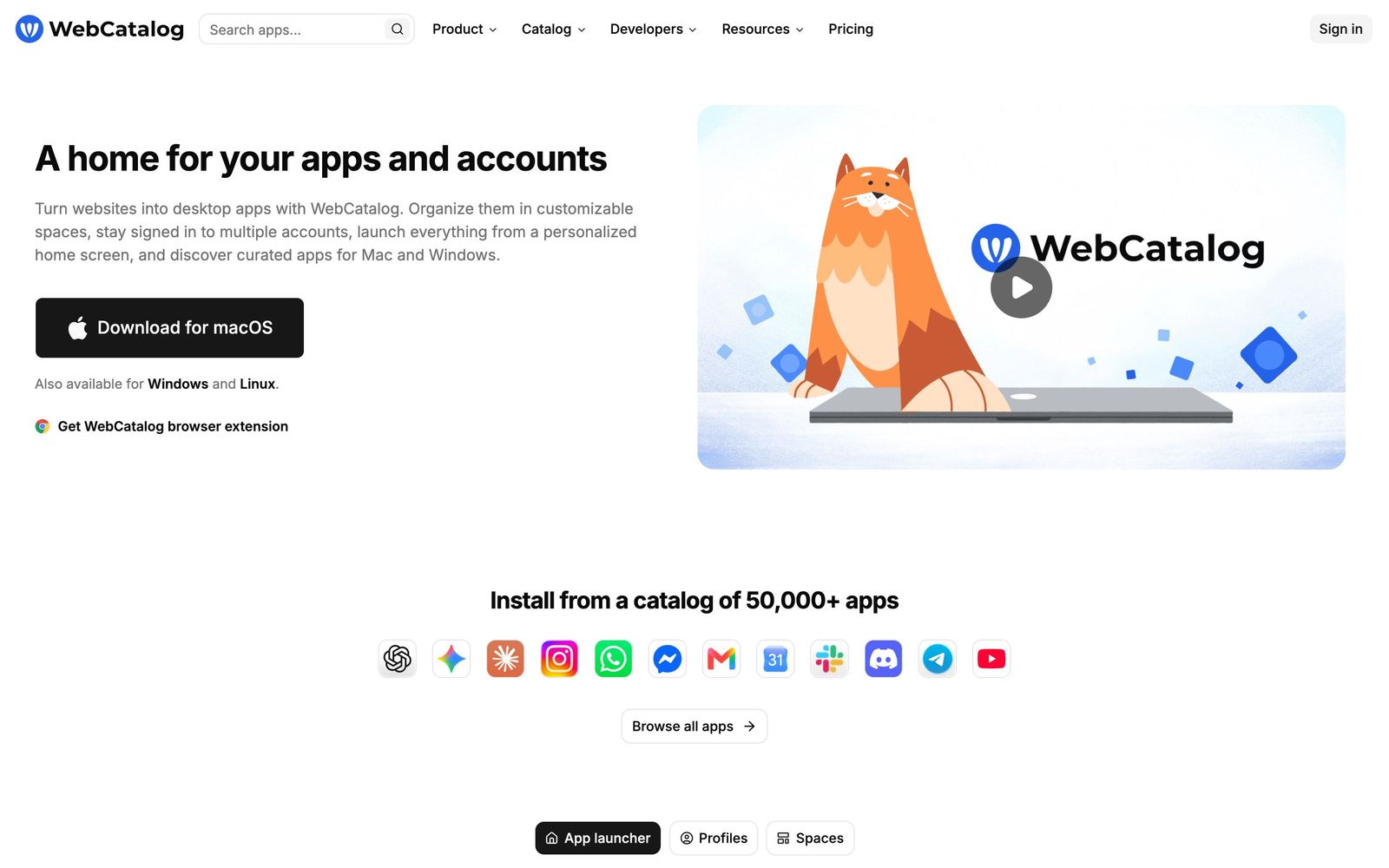
WebCatalog takes a website and wraps it in a standalone desktop application. Instead of eleven pinned browser tabs, a machine ends up with eleven windows in the dock or taskbar, each holding one service, each with its own icon and its own session. The catalogue behind it lists more than 50,000 sites, from Gmail and Slack to Discord, YouTube and a long shelf of AI services, so most wrapping happens by search rather than by pasting a URL.
The second half of the product is organisation. Apps are grouped into spaces, one per client, project or context, and each space has pages, folders and widgets alongside a wallpaper, closer to a phone home screen than a bookmark bar. Because every app runs in a sandboxed session, several accounts of the same service can stay signed in at the same time, which is the reason most people arrive: agency and consulting work involves logging into the same three tools under four different client identities. Ad and tracker blocking sits in the wrapper. Cloud sync carries the arrangement between machines, and the apps run on macOS, Windows and Linux, with a browser extension and a web version alongside. The company also ships the smaller Switchbar and Singlebox utilities.

Key features
What the paid tiers actually add over a browser:
- Website-to-desktop-app conversion for macOS, Windows and Linux
- Isolated sessions per app, so multiple accounts of one service run in parallel
- Spaces with folders, pages, widgets and custom wallpapers
- A catalogue of more than 50,000 apps, including a large AI section
- Ad and tracker blocking, plus an app lock for sensitive windows
- Cloud sync of spaces and profiles, with shared spaces and SAML SSO on the team tier
Who it's for
This suits people whose day is fragmented across accounts rather than across tools: freelancers and agency staff who hold client logins, founders running a personal and a company identity in the same suite, support staff working two inboxes. For them the isolation is the feature and the visual organisation is a bonus.
It is not for anyone hoping the wrapper adds capability. A wrapped web app is still the web app, with the same offline behaviour and the same limits. Teams that mainly need messaging in one place are better served by a dedicated messaging hub, and anyone who lives in a single browser profile with good tab management will be paying for tidiness they already have. The free plan, capped at two apps, does not give enough room to test the premise honestly.
How it compares
Rambox is the closest rival and the strongest argument against WebCatalog: a similar per-user price buys app hibernation, several hundred preconfigured services, ad blocking and sync, with a more generous entry point. Shift aims at the same problem from the email side, consolidating Gmail, Outlook and workplace apps into one window, and gives away far more in its free plan while charging more to upgrade. Franz stays narrow, consolidating chat services for people whose pain is messaging rather than accounts. WebCatalog's edge is the size of the catalogue, the strength of its session isolation and the price of its middle tier; it loses on free-tier generosity, and public reviews mention friction with billing and support.
Verdict
WebCatalog does one narrow thing well: it keeps parallel identities in the same services apart, and it makes a cluttered set of web tools legible. That is worth a modest monthly fee to anyone billing clients by the hour. The caveat is that the free tier is too small to reveal any of this, the team features sit at the top of the price list, and a wrapper cannot make a mediocre web app better than it is.
Ready to try WebCatalog?
There's a free tier, so you can test it before committing.
More founders tools like WebCatalog
Fireflies.ai
4.5AI meeting teammate that records, transcribes, and summarizes calls, with action items and searchable notes.
Read Fireflies.ai review →Miro
4.5Infinite shared canvas for workshops, diagrams and planning, now wrapped around docs, tables and AI.
Read Miro review →Reclaim.ai
4.5AI calendar assistant that auto-schedules focus time, tasks, and habits on Google and Outlook calendars.
Read Reclaim.ai review →Activepieces
4.4Open-source, MIT-licensed AI automation platform with a visual builder, AI agents, and 700+ integrations.
Read Activepieces review →MindStudio
4.4No-code visual builder for AI agents with 200+ models, 1,000+ integrations, and flexible deployment.
Read MindStudio review →Optery
4.4Finds and removes staff home addresses, phones and emails from people-search sites and data brokers.
Read Optery review →