
Streak review
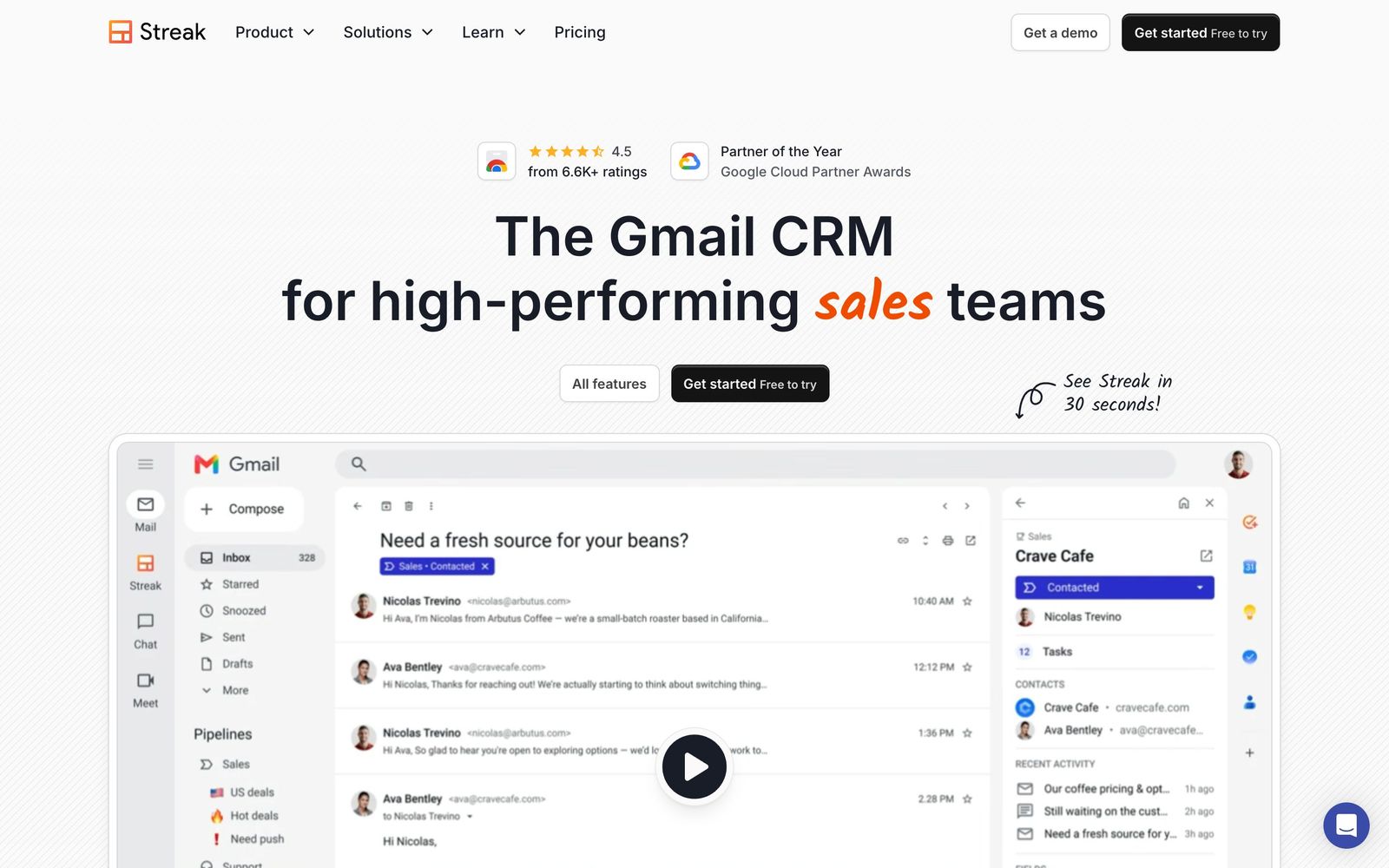
A CRM built as a Gmail extension, so pipelines, deals and email history stay inside the inbox.
The most natural CRM for a small team that already lives in Gmail, though it slows the inbox as pipelines grow and gives Outlook users nothing at all.
Pros
- Deals, contacts and email history live in Gmail, so reps never re-enter what they already sent
- Shared threads and pipeline-level permissions give a team visibility into a relationship without forwarding mail
- The free tier keeps email tracking, snippets, thread splitting and a capped daily mail merge with no pipeline purchase
- Pipelines are configured as spreadsheet-style grids, which non-technical owners can restructure themselves
- Setup takes minutes: install the extension, import a sheet, and the CRM is running
Cons
- Gmail gets visibly slower once a pipeline passes a few hundred boxes, and heavy users report added seconds on every inbox load
- It is a Chrome extension first: the mobile apps cover a fraction of the desktop feature set and other browsers or Outlook are unsupported
- Reporting stops at funnel and pipeline summaries, so serious analysis still means exporting to Sheets
Streak pricing
List prices in USD per month, taken from the vendor at review time.
| Plan | Per month | What it covers |
|---|---|---|
| Free | Free | email tools only: tracking, snippets, thread splitter, mail merge capped at 50 a day |
| Pro | $49 | per user, billed annually ($59 month-to-month), 20 AI credits per user |
| Pro+ | $69 | per user, billed annually ($89 month-to-month), advanced reports and automations |
| Enterprise | $129 | per user, billed annually ($159 month-to-month), minimum 10 users |
What Streak actually does
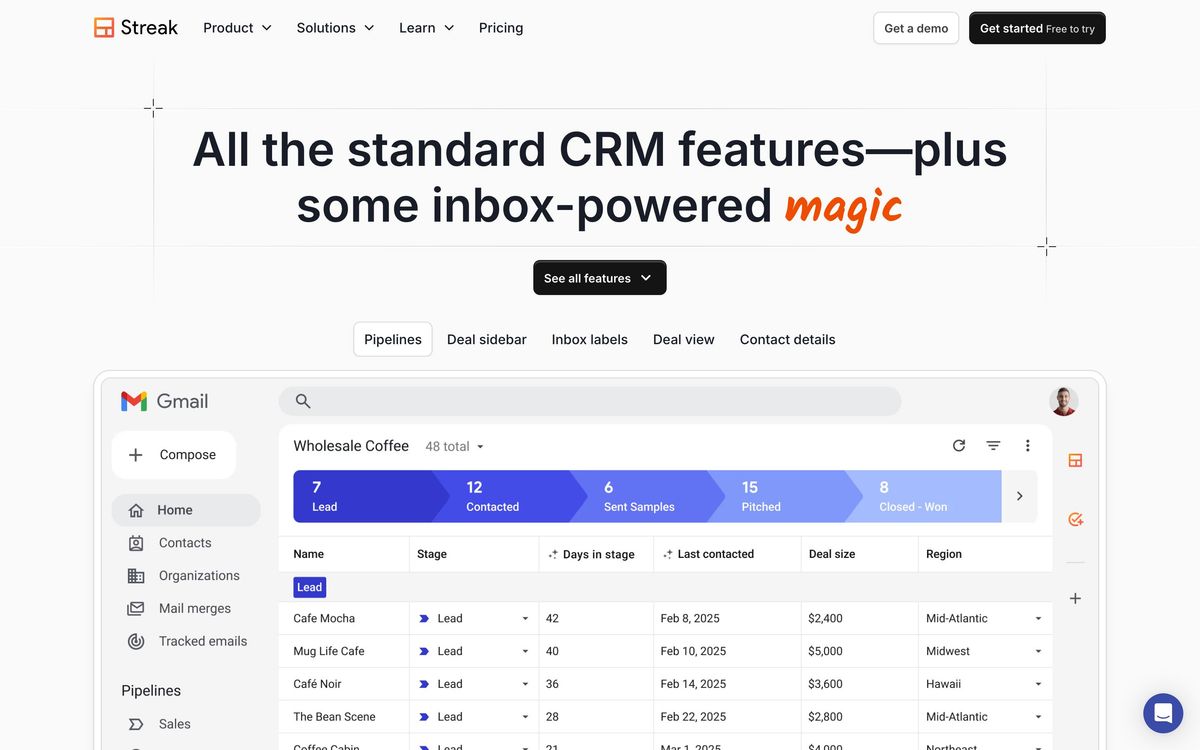
Streak is a CRM that runs inside Gmail. It installs as a Chrome extension and adds pipelines, boxes and custom columns to the inbox a small team already works in, so a deal record is a thread rather than an object in a separate tab. Mail logs itself against the deal it belongs to, colleagues can read the full history of a relationship without being forwarded anything, and the pipeline view renders as a spreadsheet-style grid in the same window as the inbox.
The company also ships a set of email tools that account for much of its install base: open and link tracking, saved snippets, mail merge, a thread splitter and shared threads. Those keep working without a paid pipeline. Everything above them, meaning contact and company records, funnel reports, per-pipeline permissions and validation rules, sits behind a per-seat plan. More recent releases add AI columns that fill fields from thread content and let a rep ask in plain language what happened on a deal, metered as monthly credits per user.
Key features
The useful parts are the ones that remove a step from an existing habit rather than adding a new screen.
- Pipelines built as grids, with stages, custom columns and permissions set per pipeline rather than per account
- Automatic logging of sent and received mail against the right box, with shared threads and internal comments for handoffs
- Email open and link tracking, snippet library and mail merge that sends from the rep's own address
- AI columns that extract fields from a thread, plus natural-language questions about deal history, drawn from a monthly credit pool
- Funnel reports and forecasting off pipeline data, with tasks and reminders assigned to teammates
- Data validation rules, custom roles and an API for teams that need the pipeline to hold a shape
Who it's for
Streak fits a small team on Google Workspace whose pipeline is genuinely conversational: agencies tracking proposals, recruiters running candidate desks, partnership and business development functions, founder-led sales where the founder's inbox is the system of record. The setup cost is close to zero, and adoption problems mostly disappear because there is no second app to open.
It is the wrong purchase for anyone on Outlook, since the product simply does not exist there, and for teams whose reps work primarily from phones, where the mobile app covers far less than the extension. Organisations that want marketing automation, sequences at scale or board-grade reporting will outgrow it quickly, and so will any pipeline large enough to make Gmail sluggish.
How it compares
Copper is the closest rival for Google Workspace shops and runs as a separate application, which keeps Gmail fast and gives better reporting, but it also breaks the single-window habit that makes Streak attractive. Pipedrive is stronger on pipeline analytics, automation and mobile, at the cost of asking reps to leave the inbox and log activity. HubSpot's free CRM covers more ground for marketing-led teams and scales further, but it is a much heavier system to configure, and its Gmail extension is a companion rather than the product itself.
Verdict
Streak solves one problem well: it stops a small team from maintaining a CRM in parallel with the inbox where the work actually happens. The free email tools are genuinely useful on their own, and the paid pipelines are simple enough that a non-technical owner can rebuild them without help. The caveats are real, though. Performance degrades as data grows, the product is effectively Chrome-and-Gmail only, reporting is thin, and the per-seat price sits above Pipedrive for a narrower feature set. Buy it for the workflow, not for the analytics.
Ready to try Streak?
There's a free tier, so you can test it before committing.
More sales tools like Streak
Capsule CRM
4.0Straightforward CRM for small businesses, with a companion email marketing tool in Transpond.
Read Capsule CRM review →folk
4.0Lightweight CRM that builds its contact base from Gmail, LinkedIn and WhatsApp instead of manual entry.
Read folk review →SalesRabbit
3.9Field sales platform for door-to-door teams: territory canvassing, lead tracking, contracts and rep performance.
Read SalesRabbit review →FullEnrich
4.5B2B waterfall enrichment that cascades 20+ data vendors to find verified emails and mobile numbers.
Read FullEnrich review →Amplemarket
4.4All-in-one AI sales platform: B2B contact data, multichannel sequences, and the Duo AI copilot.
Read Amplemarket review →Clay
4.4A credit-based GTM data workbench that chains 100+ enrichment providers and AI into one spreadsheet.
Read Clay review →