
Fastmail review
Paid, ad-free email hosting with custom domains, masked addresses and calendars, built on open standards.
The best-run independent email host for people who want their own domain without handing it to an advertising company, though it deliberately does not offer end-to-end encryption.
Pros
- Search is genuinely fast across years of archived mail, which is the practical payoff of server-side indexing
- Masked Email generates a throwaway address per service directly from 1Password or Bitwarden
- Open protocol support means mail, calendars and contacts stay portable through IMAP, JMAP, CalDAV and CardDAV
- The business tiers are priced per user with no advertising, tracking or data mining attached
- Data residency can be chosen between the United States and the European Union
Cons
- There is no end-to-end encryption in the apps, and no native PGP, so the provider technically holds the keys
- The company is Australian with servers in the United States, which puts it in jurisdictions privacy-focused buyers often rule out
- There is no document editor, spreadsheet, video call or file-sharing suite, so teams needing those still buy a second subscription
Fastmail pricing
List prices in USD per month, taken from the vendor at review time.
| Plan | Per month | What it covers |
|---|---|---|
| Individual | $6 | one user, cheaper on annual or multi-year terms |
| Business Basic | $4 | per user, per month, no third-party app access |
| Business Standard | $6 | per user, per month, custom domains and app access |
| Business Professional | $10 | per user, per month, adds a retention archive |
What Fastmail actually does
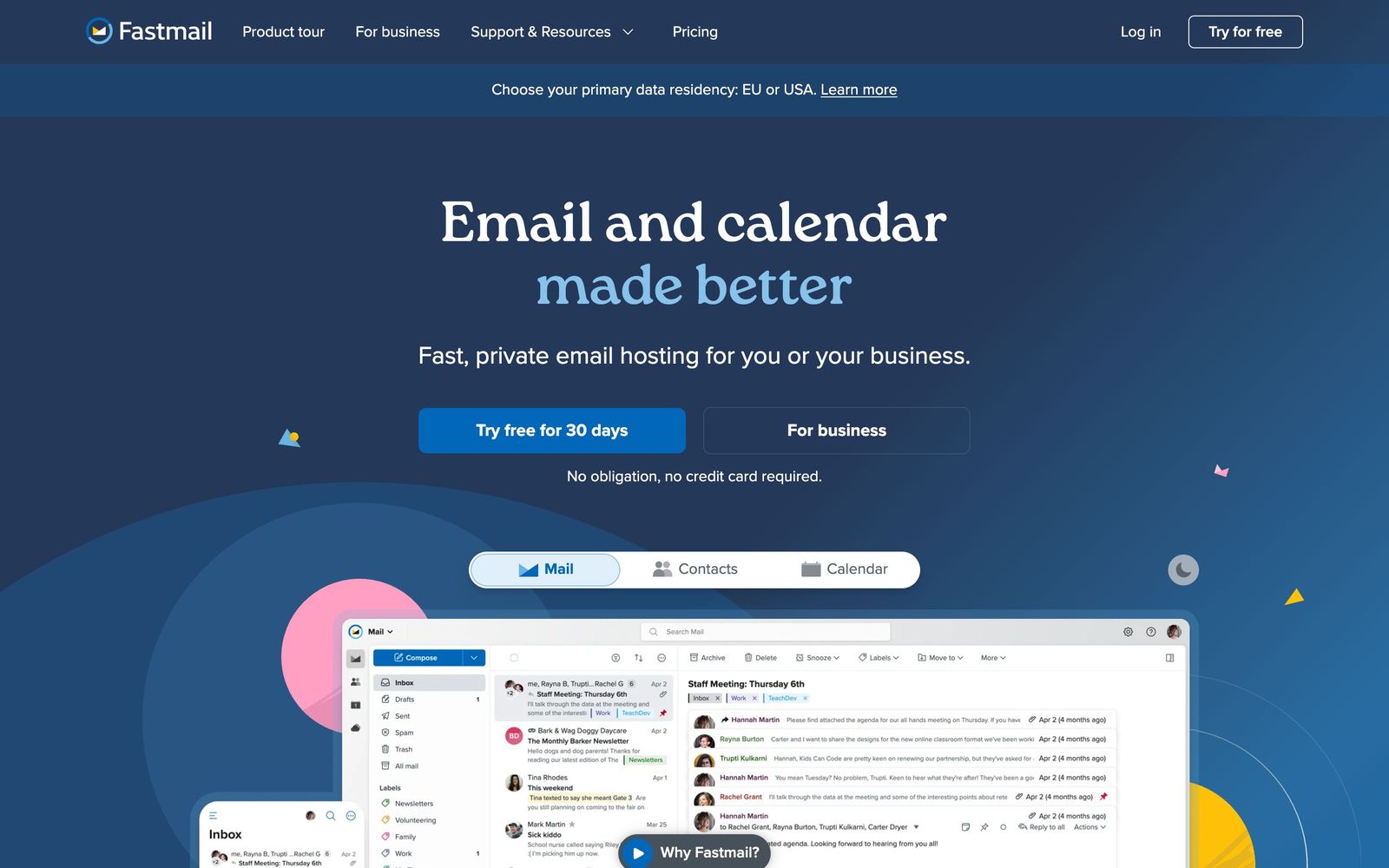
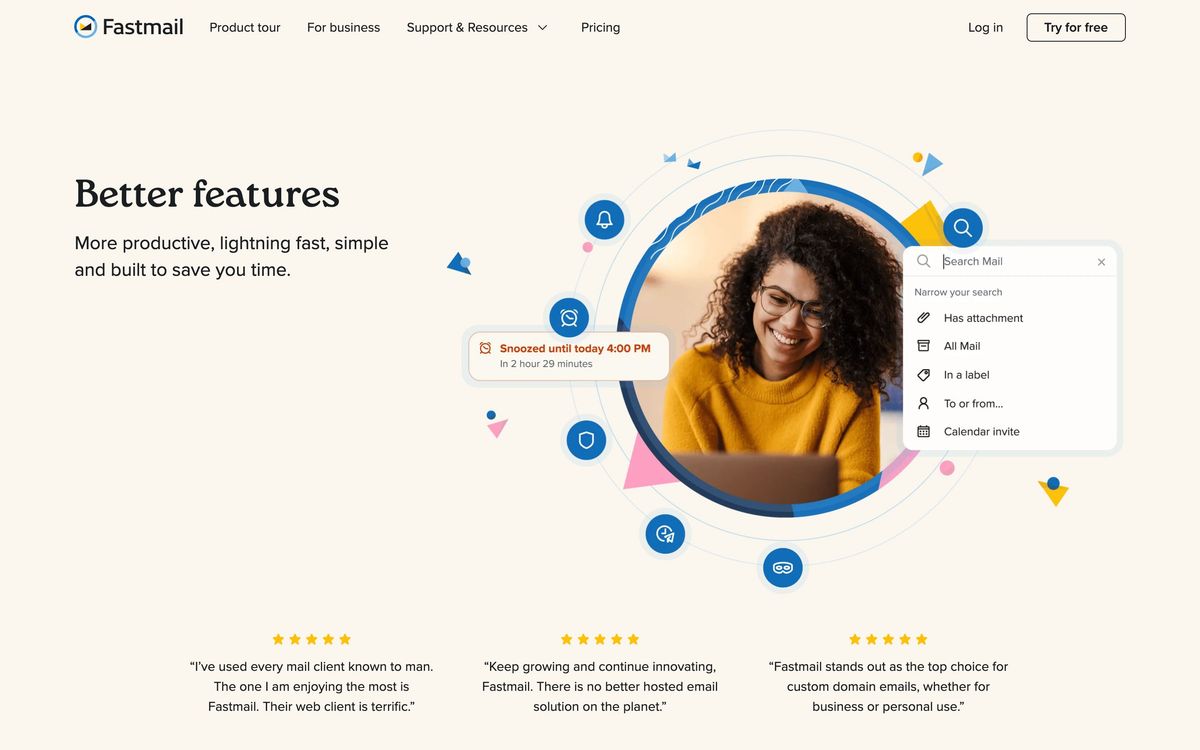
Fastmail hosts email on a custom domain, with calendars and contacts alongside it, and charges money instead of showing advertising. It has been doing this since 1999, which in email terms is close to geological. The web client is the primary interface and is fast in a way that most webmail is not, with keyboard shortcuts, pinned messages, snooze, scheduled send and search that returns results across years of archive in a moment. Native mobile apps and standard desktop client support cover the rest, because everything speaks IMAP, SMTP, CalDAV and CardDAV as well as JMAP, the modern sync protocol Fastmail itself designed and gave to the standards process.
The distinctive feature is Masked Email. Rather than handing a real address to every service that asks, the account generates a unique address per site, directly from 1Password or Bitwarden at the moment of signup. Mail to it arrives normally and can be switched off if it starts attracting spam, which turns unsubscribing into a one-click operation and makes it obvious which company leaked an address. Around that sit the ordinary conveniences of a mature host: unlimited aliases, server-side rules, strong spam filtering, a spy-pixel blocker, and the ability to pull Google and iCloud calendars into one view. Business plans add shared addresses, a company address book, user management and a retention archive for compliance.
Key features
These are the parts that come up in daily use.
- Custom domain hosting with unlimited aliases and addresses per project
- Masked Email generated from 1Password or Bitwarden at signup time
- Fast archive search, server-side rules, snooze and scheduled send
- Calendars and contacts with sharing, plus Google and iCloud calendar aggregation
- Full open-standard support through JMAP, IMAP, SMTP, CalDAV and CardDAV
- Business tiers with shared mailboxes, company directory and retention archive
Who it's for
Fastmail is aimed at the person or small team that wants professional email on its own domain and does not want the mailbox to be a data source for someone else's advertising. Consultants, founders, small agencies and technically minded individuals are the core. It is a particularly good fit for anyone who values portability, because the standards support means moving away later is a real option rather than a threat, and for anyone who has spent years fighting slow webmail search.
It is the wrong choice for two kinds of buyer. A team that wants documents, spreadsheets, video calls and shared drives should buy an office suite instead, because Fastmail does email and calendaring and stops there. And anyone whose threat model requires that the provider cannot read the mail should look elsewhere, because Fastmail has decided, openly and deliberately, not to implement end-to-end encryption.
How it compares
Proton Mail encrypts message contents so the provider cannot read them, which is the stronger privacy position, at the cost of slower search, awkward standard-client support and a heavier interface. Tuta takes a similar encrypted approach with its own protocol and a lower price. Google Workspace and Microsoft 365 win outright when the buyer needs the whole office suite and single sign-on, though both treat the mailbox as one surface in a much larger system. Migadu and Purelymail are cheaper for domain hosting but offer nothing like the client quality. Fastmail's position is usability and independence rather than cryptography.

Verdict
Fastmail is a well-built, well-run email service from a company that has stayed independent and has invested in the underlying standards rather than a walled garden. Search, Masked Email and the sheer speed of the interface are the reasons people stay for a decade. The rating reflects a deliberate trade-off buyers must accept: server-side access is what makes the search and filtering work, so there is no end-to-end encryption, and the Australian company with United States hosting sits in jurisdictions some privacy buyers exclude on principle. If that trade-off is acceptable, this is the strongest independent option in the category.
Ready to try Fastmail?
More founders tools like Fastmail
Proton for Business
4.1End-to-end encrypted email, calendar, drive, password manager and VPN for teams, run from one admin panel.
Read Proton for Business review →TheTop
4.2AI Chief of Staff that turns email, calendar, and feed noise into one ranked daily brief.
Read TheTop review →Tresorit
4.0End-to-end encrypted file storage and sharing for teams handling confidential client documents.
Read Tresorit review →Bitdefender
4.6Enterprise-grade GravityZone security for SMBs: ransomware, phishing, and fileless attack protection.
Read Bitdefender review →1Password
4.5Team password manager and credential vault that has grown into a wider access platform for small IT teams.
Read 1Password review →ClickUp
4.5All-in-one work platform: tasks, docs, goals, chat, whiteboards, and AI agents in a single workspace.
Read ClickUp review →