
Atto review
Mobile time clock with GPS, automated timesheets and shift scheduling for hourly and field-based crews.
A straightforward GPS time clock for field crews who currently run on paper timesheets, though it connects to almost nothing outside QuickBooks and Xero.
Pros
- Geofenced job sites can clock crews in and out automatically, so hours are captured without anyone remembering to press a button
- Timesheets assemble themselves from clock events, breaks, overtime and job codes, ready to approve rather than rebuild
- Mileage is tracked alongside location history, which makes reimbursement claims checkable rather than trusted
- Scheduling, shift swaps and time-off requests sit in the same app the crew already uses to clock in
- Low per-user entry price compared with broader workforce platforms carrying features a small crew will never open
Cons
- Only two integrations exist - QuickBooks Online and Xero - so teams on Gusto, ADP or Paychex export a file and import it by hand
- Every account holder counts as a billed user, including office staff who only view hours and never clock in
- The third-party review base is small and ratings are middling, so there is little independent evidence about reliability at larger headcounts
Atto pricing
List prices in USD per month, taken from the vendor at review time.
| Plan | Per month | What it covers |
|---|---|---|
| Starter | $6.95 | per user per month; time tracking, timesheets, job details, breaks and overtime |
| Plus | $9.95 | per user per month |
| Advanced | $12.95 | per user per month |
| Expert | $19.95 | per user per month; 14-day free trial on all plans, annual billing discounted |
What Atto actually does
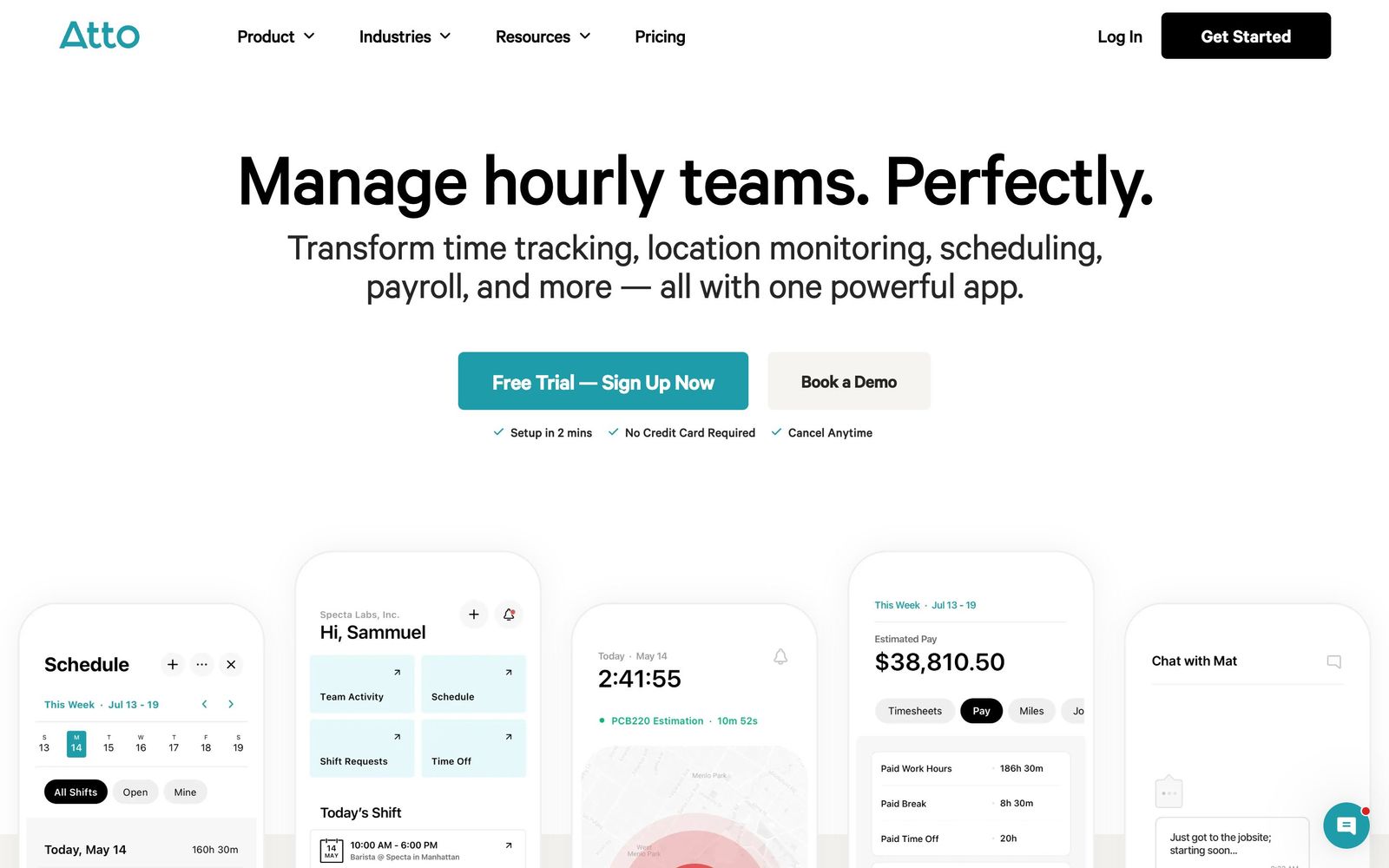
Atto is a mobile time clock and timesheet app for hourly teams that do not sit at desks. Crews clock in from a phone, the app records where they were and how long they stayed, and the hours accumulate into a timesheet an office manager approves at the end of the week. Around that core sit the adjacent jobs a small operator would otherwise handle in a spreadsheet: breaks, overtime, time-off requests, shift schedules, and mileage.
The delivery model is app-first. The iOS and Android apps are where a crew lives; a browser dashboard is where an owner or administrator reviews the week. GPS is the distinguishing mechanic. Job sites can be geofenced so that arriving on site starts the clock and leaving stops it, which removes the two failure modes of paper timesheets - forgotten entries and generous rounding. Location history shows the route and the time spent at each stop. At the end of the pay period, hours either run through Atto's own payroll with tax filing or export to QuickBooks Online or Xero. The company reports use by more than fifteen thousand businesses, concentrated in construction and other field trades.
Key features
The capabilities that separate it from a shared spreadsheet:
- Mobile time clock for iOS and Android showing who is working and where, in real time
- Geofenced job sites with automatic clock-in and clock-out, requiring no action from the crew
- Automated timesheets covering breaks, overtime, job codes and per-entry notes
- Automatic mileage capture and location history for reimbursement claims
- Shift scheduling with availability, reminders and time-off requests in the same app
- Payroll runs with tax filing in-app, or a one-click export to QuickBooks Online and Xero
Who it's for
The clean fit is a crew-based business of five to fifty hourly staff - construction, landscaping, cleaning, installation, delivery - that still runs on paper cards or a shared sheet and loses real money to rounding and disputes. For that owner, geofenced clock-ins pay for the subscription quickly, and the app is simple enough that a crew adopts it without training sessions.
The misfit is anyone with an established payroll or job-costing stack. With direct connections only to QuickBooks Online and Xero, a business on Gusto, ADP or Paychex ends every pay period with a manual export and import, which reintroduces exactly the transcription errors the app is meant to remove. Office-heavy teams should also do the arithmetic before signing: administrators who only review hours occupy billed seats, so a small crew with several supervisors pays more per productive user than the headline rate suggests. Businesses that need project budgets, invoicing or equipment tracking will need a second system regardless.
How it compares
Connecteam is the closest broad alternative and covers more ground - chat, checklists, forms, training - with a free tier for very small teams, but it is a larger product to configure and the time clock is one module among many. Deputy is stronger where scheduling is the primary problem, particularly for shift-based retail and hospitality, and it connects to a long list of payroll systems, though it costs more once the full feature set is switched on. QuickBooks Time carries the deepest payroll integration for shops already inside the Intuit ecosystem and the most mature job costing, but it is the priciest of the three and its interface shows its age. Atto wins on simplicity and on price at the entry tier; it loses on integrations to all three.
Verdict
As a way to get a field crew off paper timesheets in an afternoon, Atto does the job, and the geofencing is the reason to choose it over a generic clock app. The rating sits in the middle of the range because the surrounding ecosystem is thin: two integrations is a genuine operational constraint rather than a footnote, the billing model charges for people who never clock in, and the independent review base is too small to say much about how the product behaves at scale. Teams already committed to a payroll provider outside QuickBooks or Xero should weigh the recurring manual export before committing.
Ready to try Atto?
More service-businesses tools like Atto
Shiftie
4.0Rota planning, availability and time clock in one system for UK shift teams.
Read Shiftie review →Tradify
4.6Job management app for tradespeople covering quoting, scheduling, invoicing and payments in one place.
Read Tradify review →Weave
4.5All-in-one phone, texting, scheduling and payments platform for dental, vet and optometry practices.
Read Weave review →Jane
4.4Practice management and EMR for allied health clinics: booking, charting, billing and payments in one record.
Read Jane review →Synthflow AI
4.4No-code voice AI agents for inbound and outbound calls: booking, lead qualification and support, 24/7.
Read Synthflow AI review →Bókun
4.3Booking system and OTA channel manager for tour, activity and rental operators, owned by Tripadvisor.
Read Bókun review →