
SurveyMonkey review
Survey and form platform with built-in analysis, a paid respondent panel and connectors into CRM and BI tools.
Still the safest default for a business survey because distribution and analysis are handled in one place, though the pricing ladder punishes short projects and gates the useful integrations at the top tier.
Pros
- Survey logic, branching, piping, randomisation and quotas, behaves predictably on long questionnaires where cheaper tools start to break
- Results are analysed inside the product with filters, comparison rules and crosstabs, so a spreadsheet export is optional rather than the first step
- Native connectors reach Salesforce, HubSpot, Marketo, Tableau, Power BI, Slack and Microsoft Teams instead of routing everything through Zapier
- The AI builder drafts a workable questionnaire with sensible question types from a short prompt, which removes the blank-page stage
- SurveyMonkey Audience sells responses from a targeted panel, so a study can run without an existing list
Cons
- The free plan caps questions and responses per survey tightly enough that most real studies hit the ceiling partway through fieldwork
- Month-to-month billing on the individual plan costs several times the annual rate, so a genuinely short project is the most expensive way to buy
- Salesforce syncing, white labelling and advanced logic sit only on the top team tier, so a small team needing one connector pays for everything above it
SurveyMonkey pricing
List prices in USD per month, taken from the vendor at review time.
| Plan | Per month | What it covers |
|---|---|---|
| Basic | Free | free plan with capped questions and responses per survey |
| Standard | $99 | individual plan billed month to month |
| Advantage | $39 | individual plan billed annually; 15,000 responses a year |
| Team Advantage | $30 | per user, billed annually, three-seat minimum; 50,000 responses a year |
| Team Premier | $92 | per user, billed annually; 100,000 responses a year, advanced logic and Salesforce |
What SurveyMonkey actually does
SurveyMonkey is a survey platform that has quietly become a research stack. The visible half is the builder: a questionnaire assembled from a template or drafted by the AI builder from a prompt, with skip logic, branching, piping, randomisation and quotas available once the questions get complicated. The less visible half is everything after fieldwork. Responses are analysed inside the product, filtered, cross-tabulated, compared across segments, with open-text answers scored for sentiment, so the default workflow does not involve exporting a spreadsheet and rebuilding the analysis by hand.
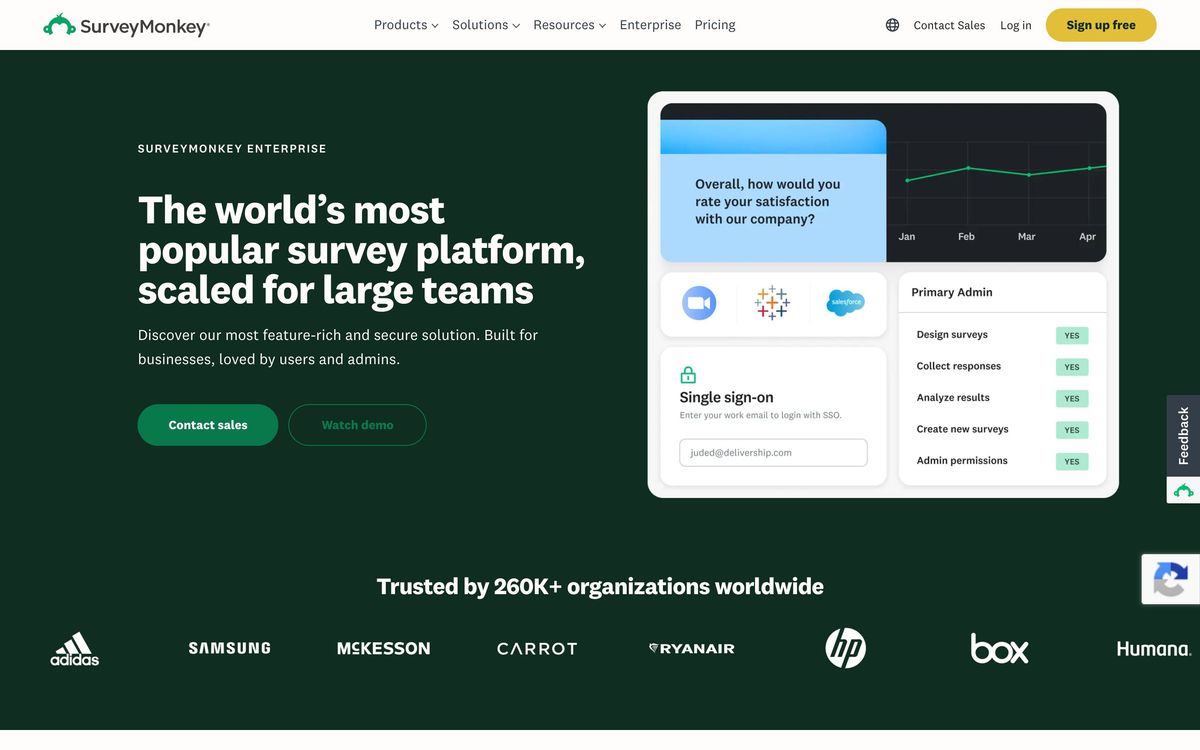
Distribution is the third piece. A survey goes out as a link, an email campaign, a website embed, an SMS or a card inside Microsoft Teams, and results flow onward through native connectors to Salesforce, HubSpot, Marketo, Tableau, Power BI and Slack. For teams with no list to survey, the Audience panel sells responses from a demographic you specify, which turns a market research question into a purchase rather than a recruitment project. Everything is cloud-hosted and sold per seat, with response volume as the second axis of the price.

Key features
The platform covers the full arc from writing a question to putting the answer in front of someone who acts on it.
- AI survey builder that drafts questions, types and flow from a short description
- Question bank of methodologist-written templates for NPS, CSAT and employee feedback
- Skip logic, branching, piping, randomisation and response quotas on paid tiers
- Analysis with filters, comparison rules, crosstabs and open-text sentiment scoring
- Distribution by link, email, web embed, SMS and Microsoft Teams
- Audience panel for buying targeted responses when no list exists
Who it's for
The natural buyer is a team that surveys repeatedly rather than once: customer experience running quarterly NPS, people operations running engagement studies, a marketing team testing positioning before a launch. Those teams benefit from the parts that look unglamorous on a feature list, the template library, the response quotas, the connector that drops a detractor's answer into a Salesforce record while someone can still act on it. Three seats is the minimum on team plans, which sets the floor for who this is built for.
It is the wrong tool for a one-off form on a website, where a form builder is cheaper and faster, and for a single researcher on a short contract, where the month-to-month individual plan is priced hostilely against them. Product teams wanting in-app micro-surveys will find purpose-built tools lighter, and anyone whose whole requirement is a Salesforce sync should check which tier that sits on before assuming an entry plan will do.
How it compares
Typeform wins on the respondent experience: its one-question-at-a-time format gets better completion rates on consumer-facing surveys, but its analysis and research features are thin by comparison. Qualtrics is the serious research platform above it, with sampling, experimental design and governance that SurveyMonkey does not attempt, at a price and implementation weight most mid-market teams cannot justify. Google Forms remains unbeatable at free and unusable past a certain complexity. SurveyMonkey occupies the middle deliberately, and the middle is where most business surveys actually live.
Verdict
Two decades of iteration show in the places that matter: logic that holds together on a long questionnaire, analysis that answers the question without an export, and a panel that removes the hardest part of market research. For a team with recurring survey work and someone waiting on the results, it remains the low-risk choice. The reservations are commercial rather than technical. The free plan is a demo, not a working tier; the month-to-month option is priced to push buyers onto annual contracts; and the integrations most teams want turn out to sit on the most expensive plan. Buy it annually with a clear idea of which tier holds the feature you actually came for, and it is a good product at a fair price.
Ready to try SurveyMonkey?
There's a free tier, so you can test it before committing.
More marketers tools like SurveyMonkey
POWR
3.8Sixty-odd embeddable widgets, forms, popups, galleries, reviews, for sites built on someone else's platform.
Read POWR review →Motion
4.5Creative analytics for paid social: visual reports and AI tagging that show which ad creatives perform.
Read Motion review →Tidio
4.5AI customer service platform with Lyro AI agent, live chat, ticketing, and automations for 300K+ businesses
Read Tidio review →Vista Social
4.5Social media management covering publishing, inbox, listening, reviews, and reporting across 11+ networks.
Read Vista Social review →Unbounce
4.4Landing page builder with AI traffic routing (Smart Traffic), A/B testing, popups, and sticky bars.
Read Unbounce review →ActiveCampaign
4.3Email marketing and automation platform with a built-in CRM, contact scoring, and SMS and WhatsApp sending.
Read ActiveCampaign review →