
CometChat review
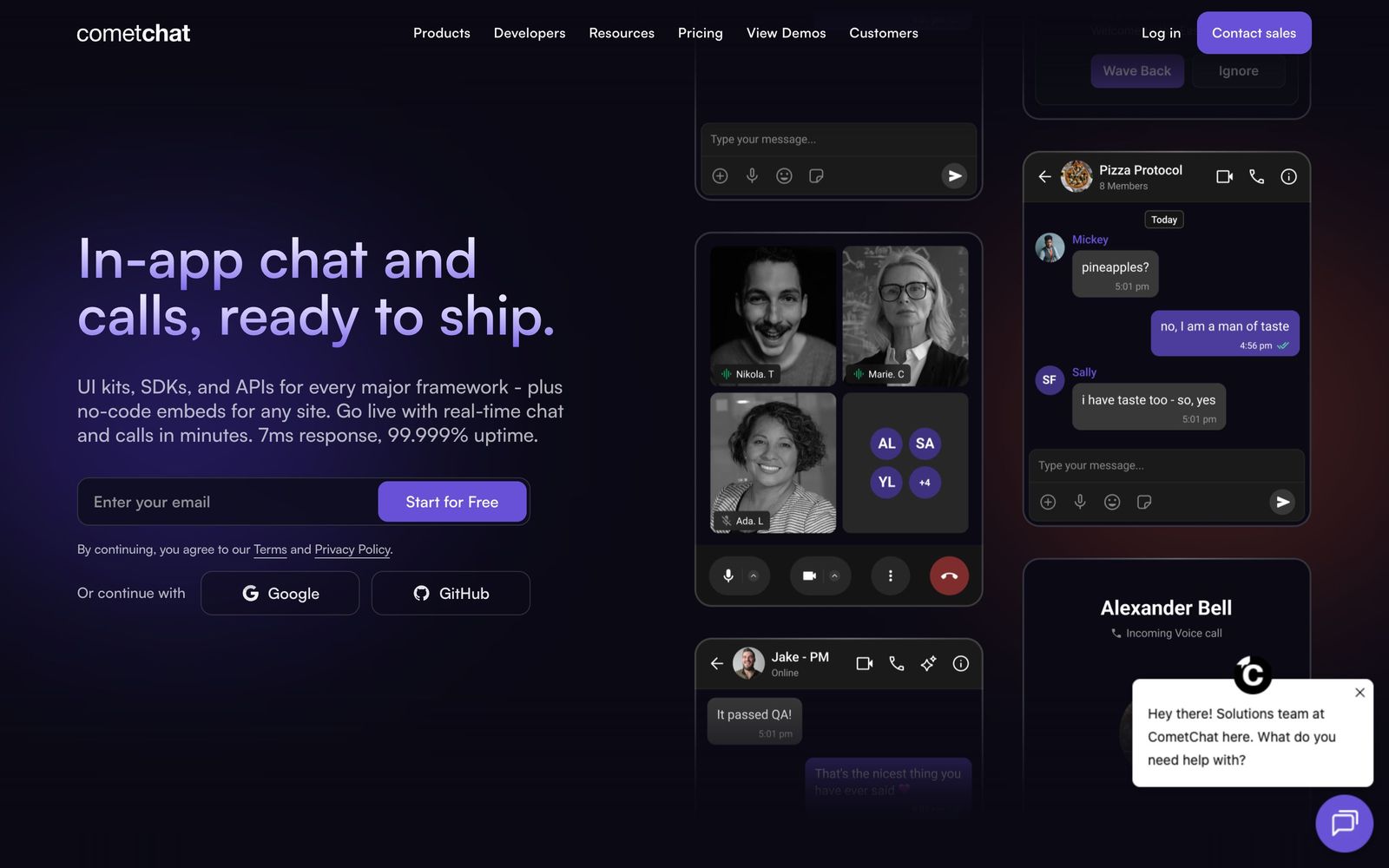
Chat, voice and video SDKs with prebuilt UI kits for embedding real-time messaging inside an existing app.
A fast route to production messaging for a team with no real-time infrastructure specialist, though unpublished paid rates and per-user overages make the running cost hard to plan.
Pros
- Prebuilt UI kits for React, Flutter, React Native, iOS and Android turn a chat build from a quarter of engineering time into days
- Messaging, voice, video, moderation and notifications come from one vendor instead of being stitched together from three
- The free development tier carries the full feature set with no card required, so an integration can be proven before any commitment
- A widget builder and no-code embeds cover teams whose requirement is chat on a web app rather than a native mobile experience
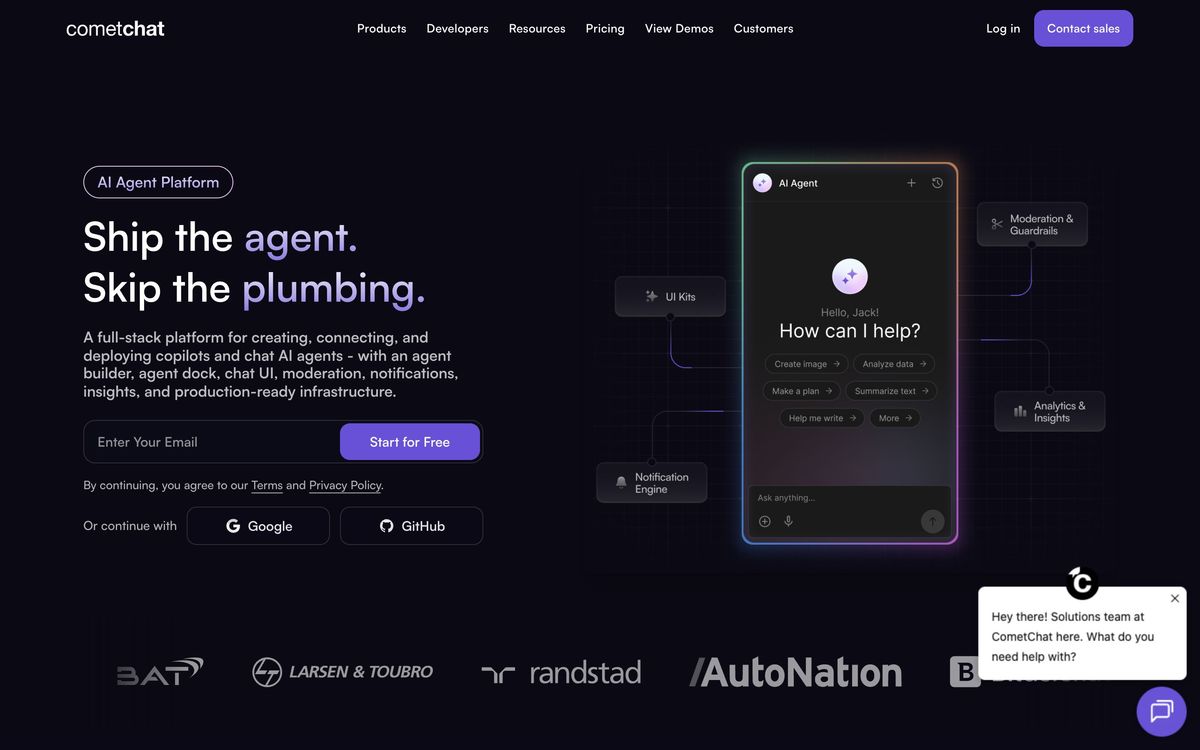
- The AI agent framework runs on the same message infrastructure, with retrieval and tool calling, so an assistant is a configuration rather than a second integration
Cons
- Paid tier prices are not published on the pricing page, the figures are placeholders until a trial is started, which makes budgeting a chat feature harder than it should be
- The free ceiling is low and overages are charged per monthly active user with no cap, so an unexpectedly busy month produces an unpredictable invoice
- There is no ready CRM or helpdesk connection, so routing conversation data into Salesforce or a support tool means custom development
CometChat pricing
List prices in USD per month, taken from the vendor at review time.
| Plan | Per month | What it covers |
|---|---|---|
| Build | Free | free for development, up to 100 monthly active users, no card required |
What CometChat actually does
Real-time messaging is one of those features that looks like a fortnight of work and turns into a quarter. Presence, delivery receipts, offline queuing, push notifications, media handling, moderation and the reconnection logic for a phone that walks out of Wi-Fi are all separate problems, and none of them is the product a team set out to build. CometChat sells that layer as infrastructure: SDKs and hosted backend for one-to-one, group and broadcast chat, voice and video calling, with threads, reactions, mentions, typing indicators and read receipts already handled.
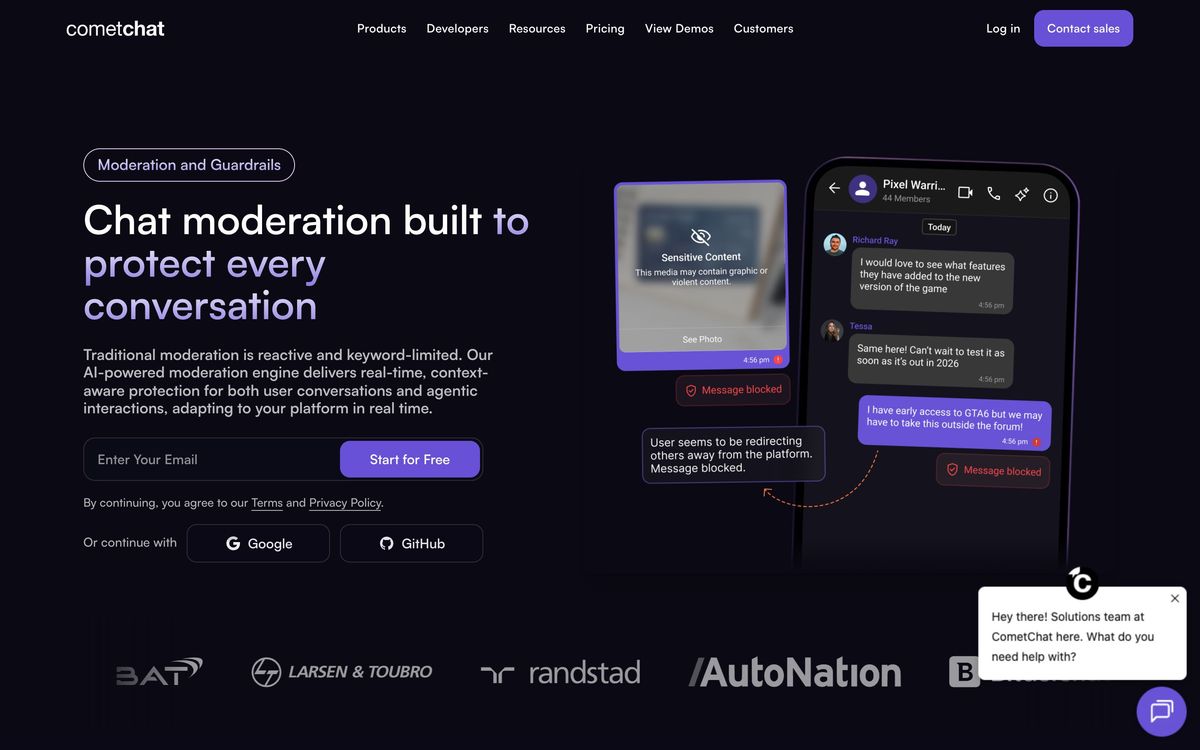
The second half of the offer is the interface. Prebuilt UI kits exist for React, Flutter, React Native, iOS and Android, and a widget builder produces an embeddable chat surface for teams that do not want to write any of it. Layered on top are AI moderation for filtering content, a notification engine covering push, email and SMS, analytics, multi-tenancy for platforms serving several customer organisations, and an agent framework with retrieval and tool calling for teams putting a conversational assistant in the same window. Deployment is hosted by default, with an on-premise Docker option, and billing is based on monthly active users rather than seats or messages.
Key features
The product is a messaging backend plus the interface work most teams would rather not do twice.
- One-to-one, group and broadcast messaging with threads, reactions, mentions and read receipts
- Voice and video calling for individuals and groups, with screen sharing and recording
- UI kits and a widget builder for React, Flutter, React Native, iOS and Android
- AI moderation for content filtering, with manual moderation tooling alongside
- Push, email and SMS notifications triggered by conversation events
- Agent framework with retrieval and tool calling, running on the same message pipeline
Who it's for
The buyer is a product team that needs conversation inside an application it already owns: a marketplace connecting buyers and sellers, a telehealth or coaching platform, a community app, a field service tool where dispatchers and technicians need to talk. Those teams typically have no one who has run a WebSocket fleet in production, and the UI kits mean a competent product engineer can ship something credible in a sprint rather than a quarter. Multi-tenancy makes it workable for platforms that resell to organisations.
It is a poor fit for teams whose messaging requirement is genuinely simple, a support widget on a marketing site is better served by a helpdesk product, and for organisations with strict, predictable budget ceilings, because the active-user billing model resists forecasting. Companies at very large scale, or with hard data-residency requirements beyond what the hosted regions cover, will end up in an enterprise negotiation where the comparison shifts to the specialists.
How it compares
Sendbird is the enterprise-weighted alternative, with broader global infrastructure and a longer track record at scale, and prices accordingly at the entry tier. Stream is the closest match on developer experience and generally the better documented of the two, again at a higher starting point. Twilio Conversations bills per active user with no minimum, which suits sporadic or low-volume use far better, but delivers far less finished interface work. Against that field CometChat's case is breadth for the money at small and mid scale, messaging, calling, moderation and agents from one vendor, and it weakens as volume and volatility rise.
Verdict
CometChat is a sensible default for a team that needs real chat in an app soon and does not want to own the infrastructure. The SDK and UI kit coverage across web and mobile is genuinely broad, the free development tier removes the risk from evaluating it, and folding moderation and AI agents into the same platform saves a second integration later. The caveat is commercial rather than technical: the pricing page shows placeholders instead of prices, the free ceiling is low, and uncapped per-user overages mean a successful launch can produce a bill nobody modelled. Get written rates before the integration is load-bearing.
Ready to try CometChat?
There's a free tier, so you can test it before committing.
More developers tools like CometChat
CrowdStrike
4.4Cloud-delivered endpoint protection with one lightweight agent, sold to small teams as fixed per-device bundles.
Read CrowdStrike review →NinjaOne
4.4Endpoint management and RMM platform for monitoring, patching, backing up and remotely supporting company devices.
Read NinjaOne review →Bright Data
4.3Proxy network and managed scraping APIs for collecting public web data at production scale.
Read Bright Data review →Browse AI
4.3No-code web scraping: train point-and-click robots to extract data from any site and monitor it for changes.
Read Browse AI review →BugHerd
4.3Visual feedback tool that pins client comments to the exact element on a page and turns them into tasks.
Read BugHerd review →EasyDMARC
4.3Email authentication monitoring that takes a domain from DMARC reporting to enforcement without hand-editing DNS.
Read EasyDMARC review →